As we have previously configured the role for our role chatbot with AWS Lambda full access, then in this part we’ll setup a simple Lambda function to allow Slack users to trigger a command.
Step 1: Setup Lambda Function
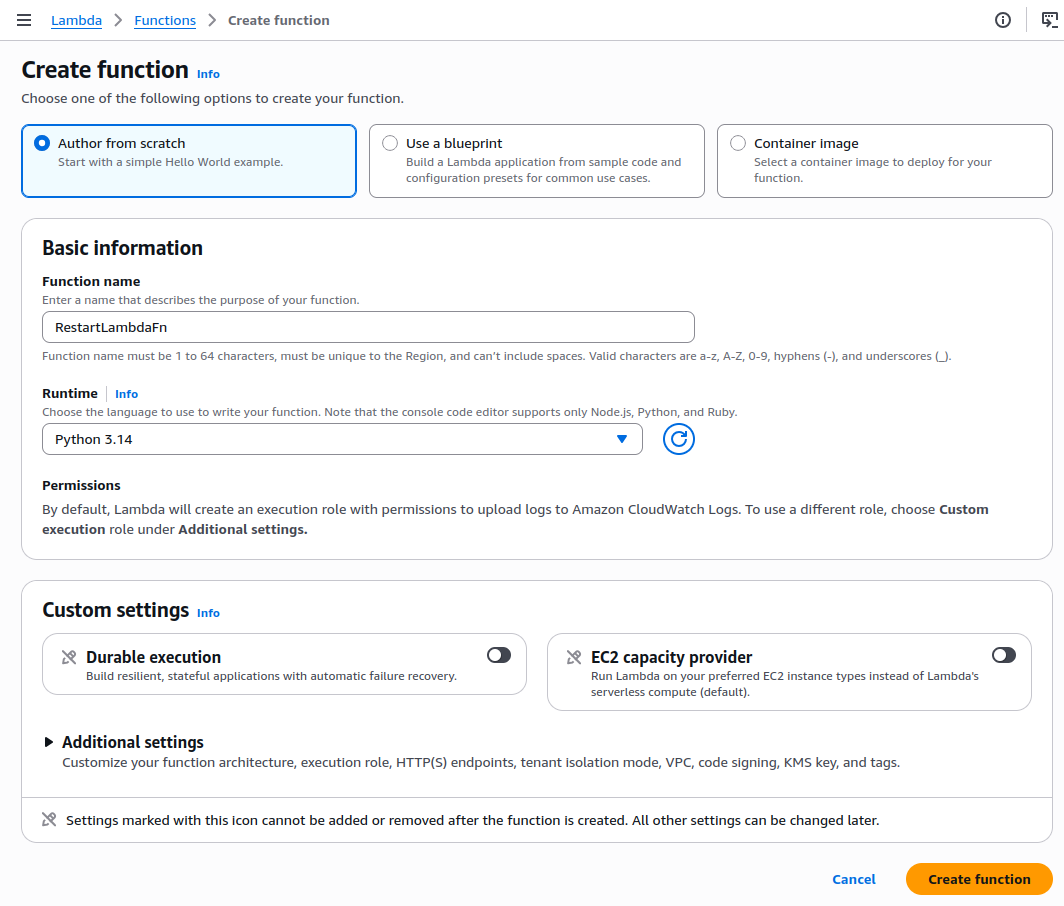
- Visit AWS Lambda Console
- Click Create function
- Choose Author from scratch Provide:
- Function name:
RestartLambdaFn - Runtime:
Python 3.14
- Function name:
- Choose Author from scratch Provide:
Now choose the Code Source tab and replace the code with below code snippet:
def lambda_handler(event, context):
    return {
        'statusCode': 200,
        'body': 'Lambda triggered from Slack via AWS Chatbot.'
    }
Then click Deploy
Step 2: Setup Permissions for Chatbot Invoking Lambda Function
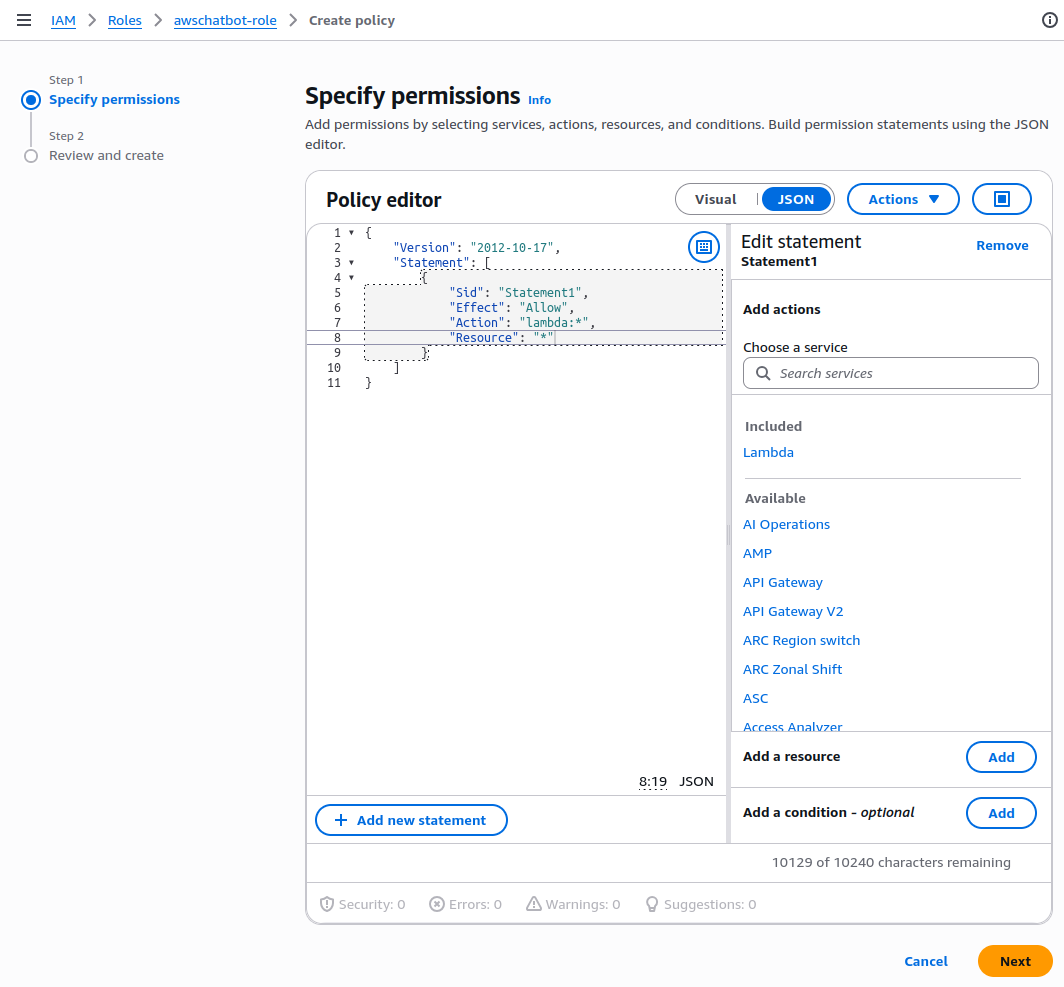
- Visit IAM Console
- Find the IAM role used by iour AWS Chatbot setup named
awschatbot-role - Open the role, and scroll down to the Permissions policies section.
- Click Add permissions > Create inline policy.
- Choose the JSON tab, and paste this policy:
{
  "Version": "2012-10-17",
  "Statement": [
    {
      "Effect": "Allow",
      "Action": "lambda:*",
      "Resource": "*"
    }
  ]
}
Click Next, and give the policy name AllowInvokeRestartLambda
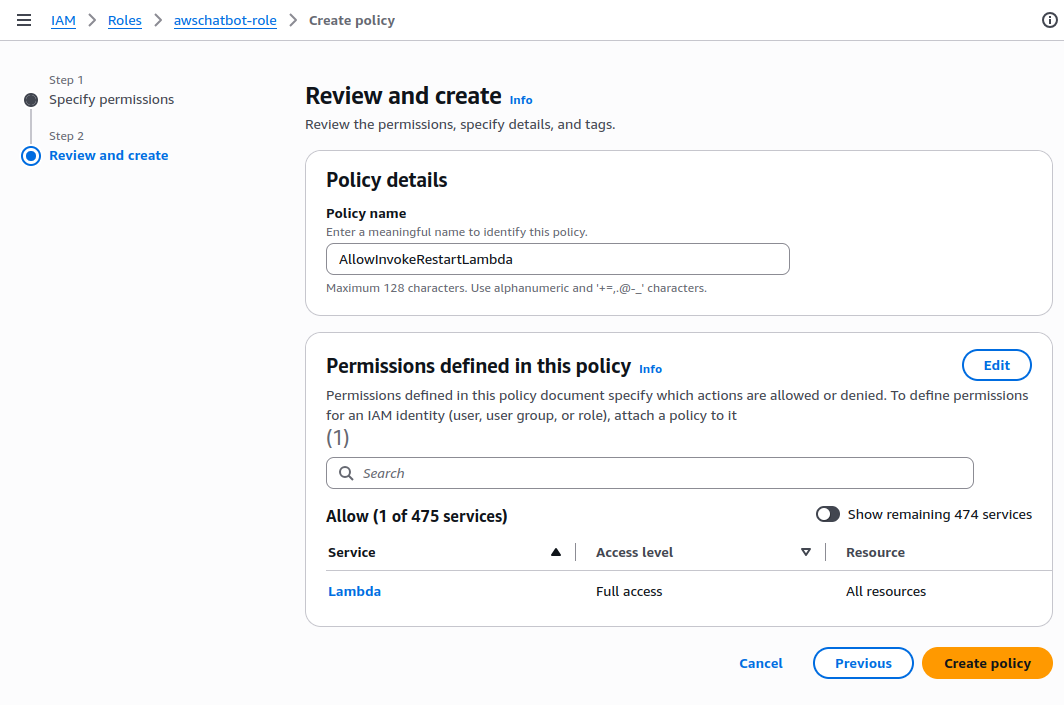
And finally, click “Create Policy”
Step 4: Invoke Lambda Function from Slack
Make sure we have invited Amazon Q to the new-channel by using this message:
/invite @Amazon QThen we can try to invoke Lambda function using this command form the message bar:
@Amazon Q lambda list-functions --region us-east-1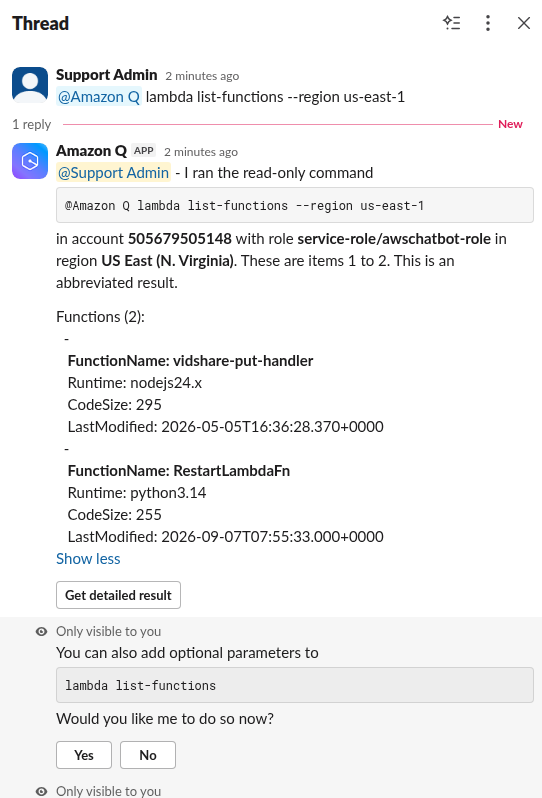
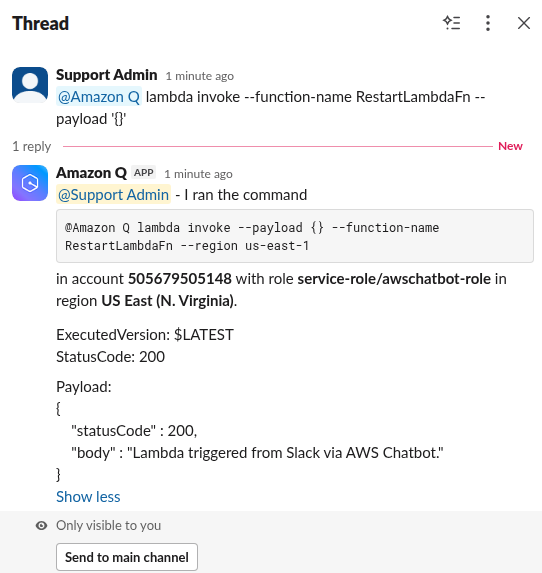
Next, we can try to trigger the lambda RestartLambdaFn function we created earlier by using this command via Slack message
@Amazon Q lambda invoke --function-name RestartLambdaFn --payload '{}'If everything is setup as above, we’ll see the response in Slack confirming the success as below
Summary
In this chapter, we have setup a lambda function that can be triggered from Slack while it was enabled through the IAM permissions applied on the AWS Q (chatbot).
In the next chapter, we will deploy a read-only dashboard using CloudFormation which can be used as the front-end visual aid for the operational and observation.