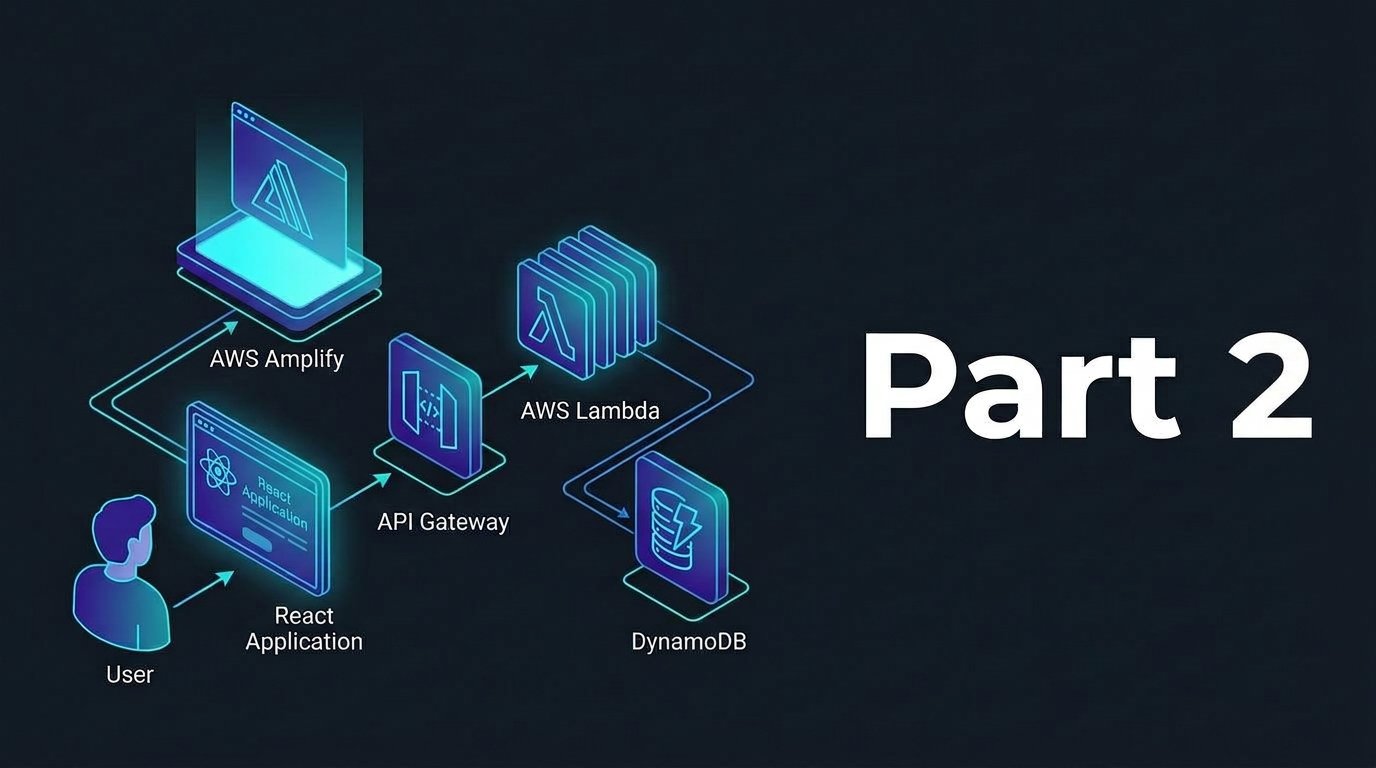
IAM role is the mechanism we are using for this project to enable the centralized security while giving flexible yet temporary credentials for our lambda functions. It’s the implementation of principle of least privilege where lambda functions will get necessary permissions only.
We are going to create an IAM role called ProductInventoryRole to secure communication among lambda functions, DynamoDB table, and CloudWatch logs
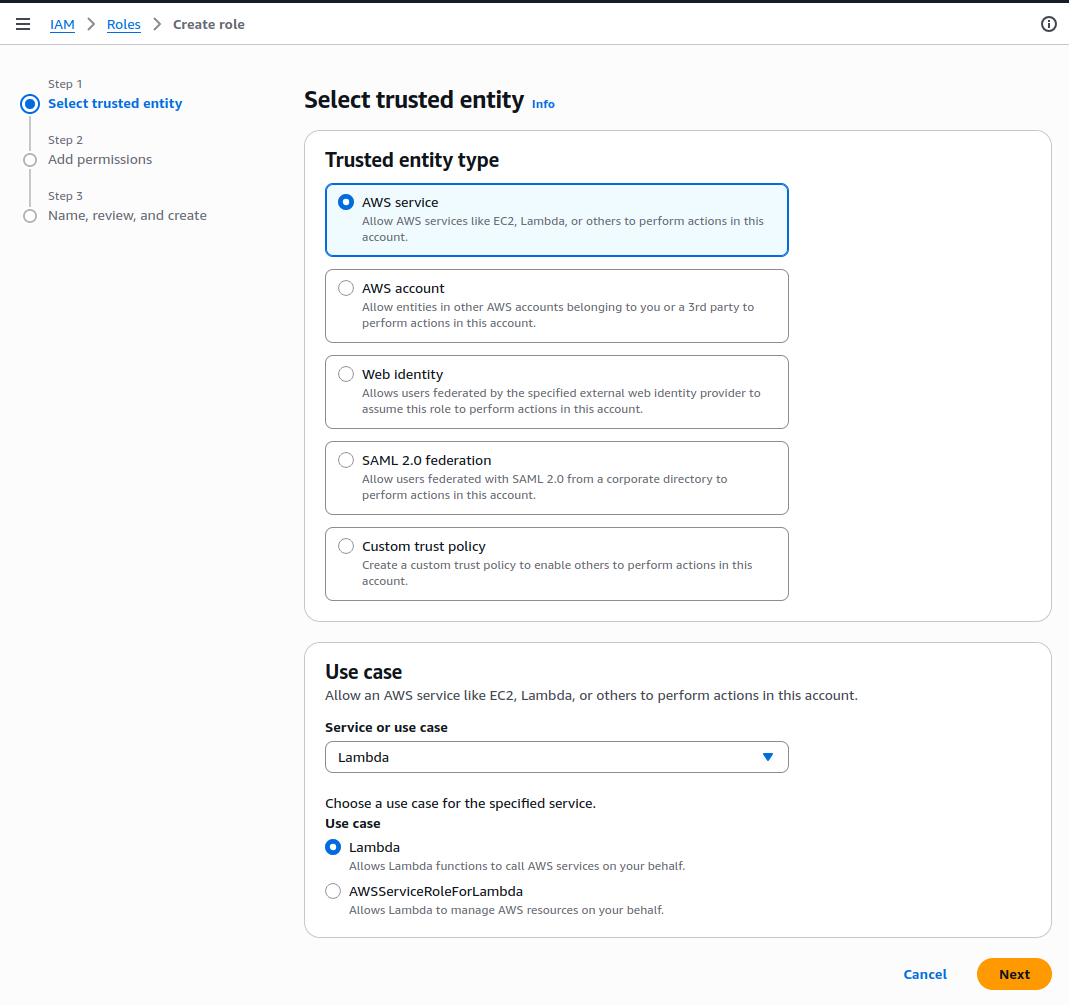
Step 1: Setup Base IAM Role
- Navigate to IAM console
- From sidebar menu, click Roles
- Click Create Role
- Trusted entity type: AWS service
- Use case: Lambda
- Click Next
Step 2: Attach Basic Lambda Permissions
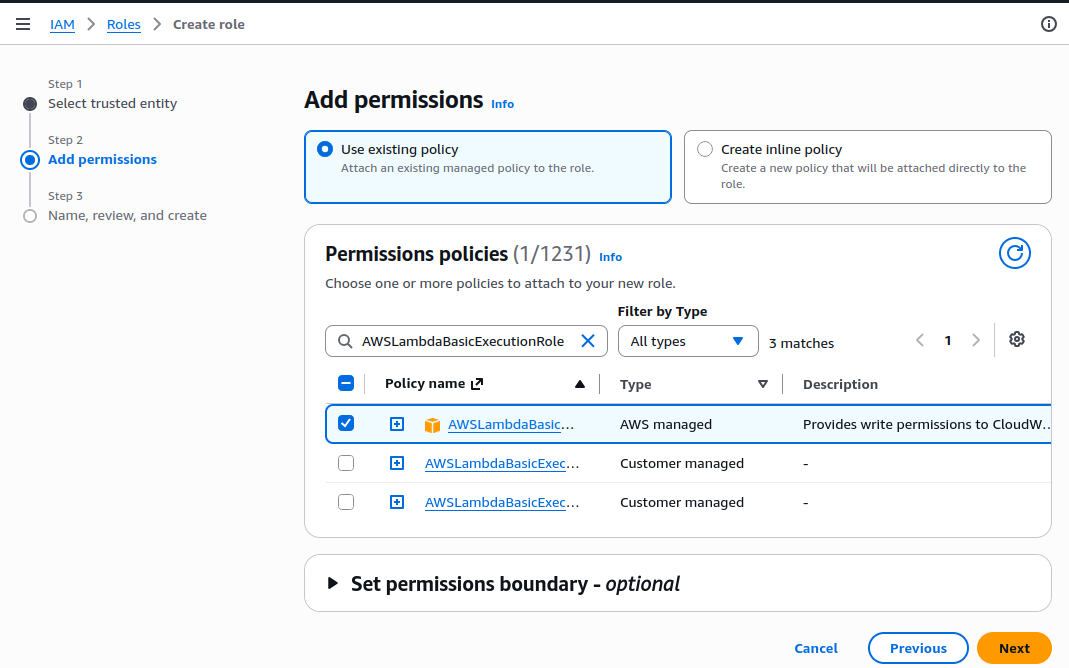
- Add AWS Managed PolicyWhat this policy provides:
Search and select:AWSLambdaBasicExecutionRole
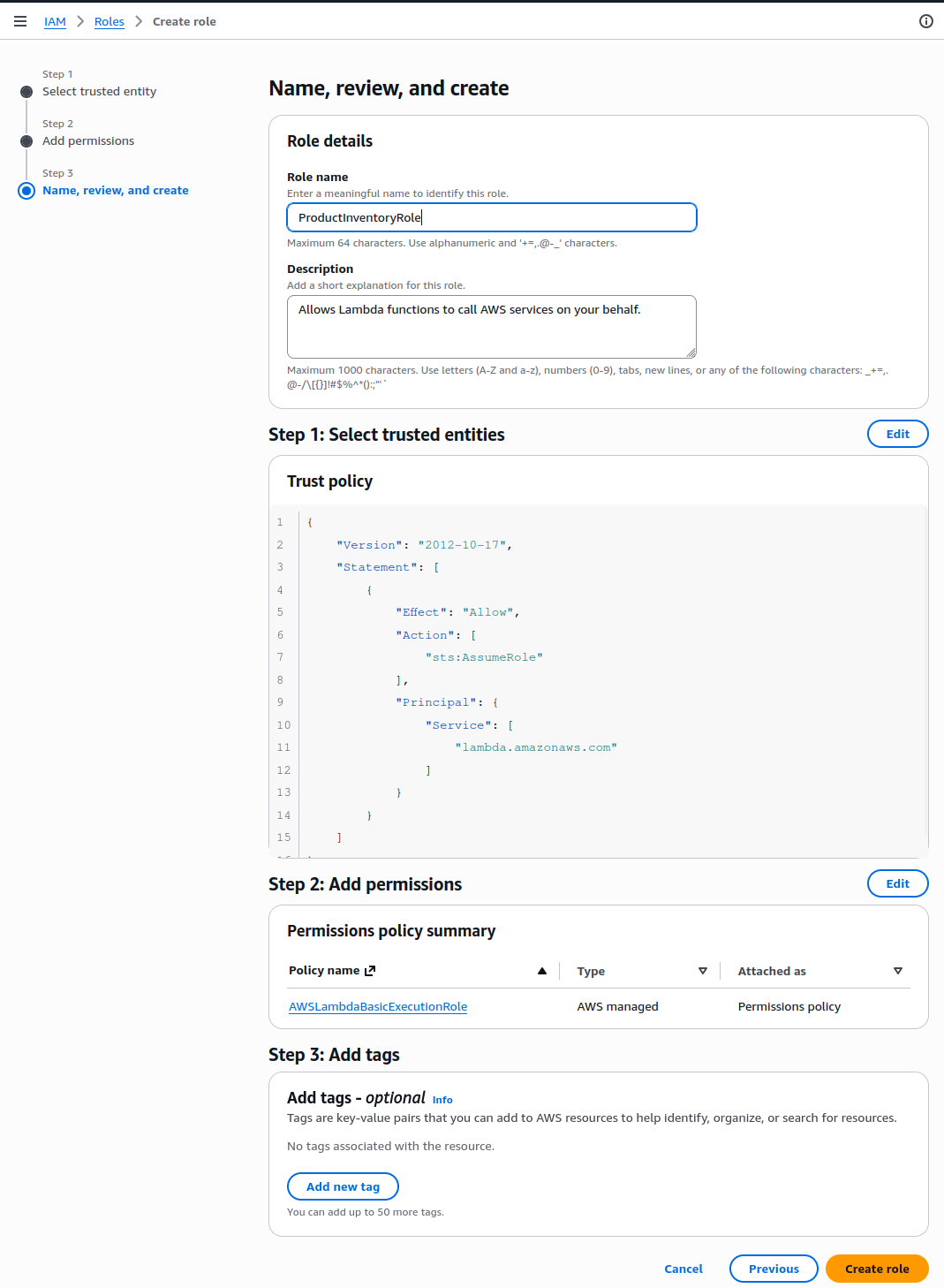
Step 3: Create the Role
- Role name: ProductInventoryRole
- Leave the other options as default
- Click Create Role
Step 4: Add DynamoDB Permissions with Custom Policy
The reason of using custom policy is because the AWS managed policies are sometimes too broad, therefore we create a custom policy to align with the principle of least privilege.
- Navigate to ProductInventoryRole → Permissions policies
- Click Add permissions and Create inline policy
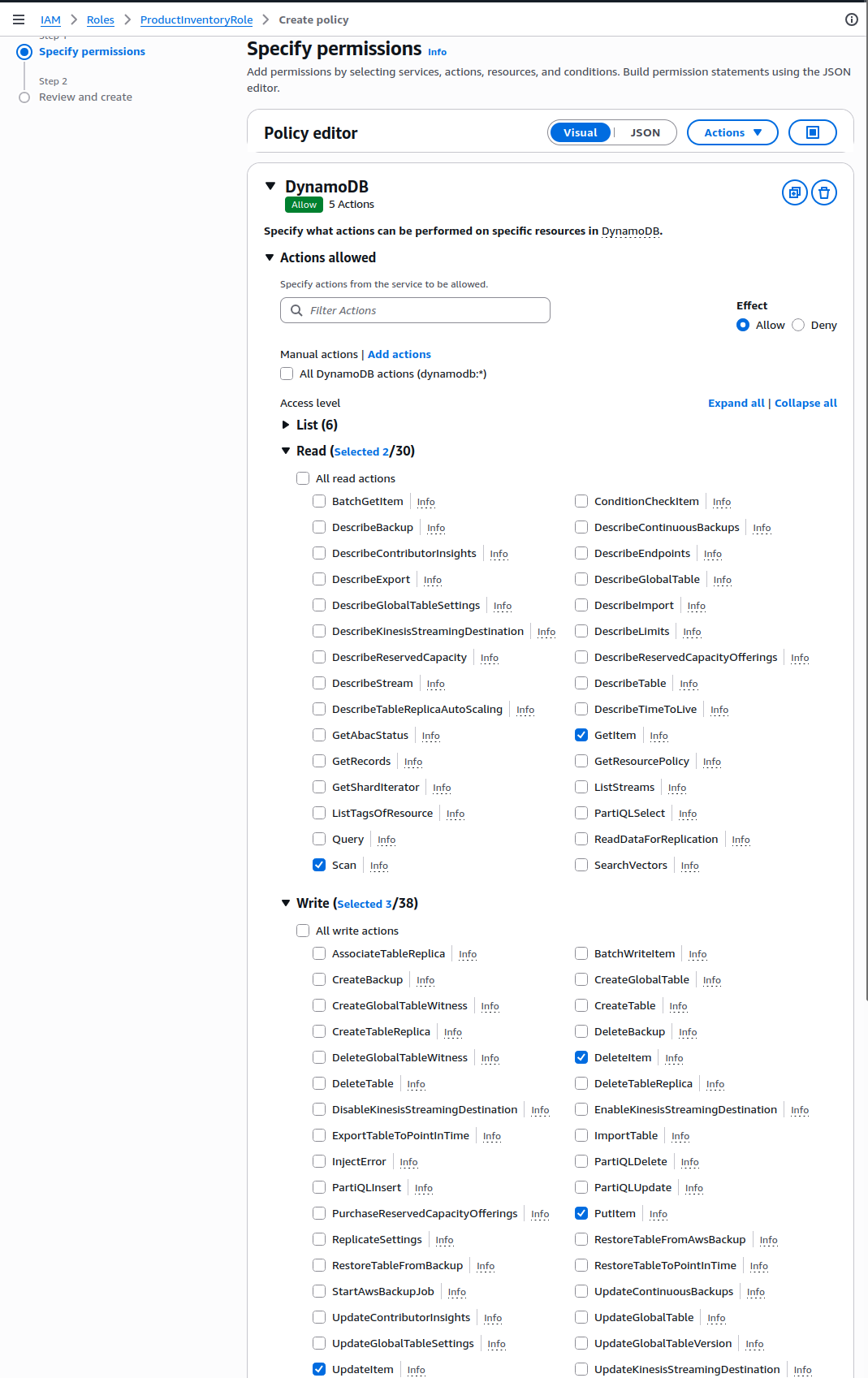
- Specify permissions
- Select: DynamoDB
- Actions to be chosen:
- GetItem
- Scan
- PutItem
- UpdateItem
- DeleteItem
Step 5: Specify Resource Access
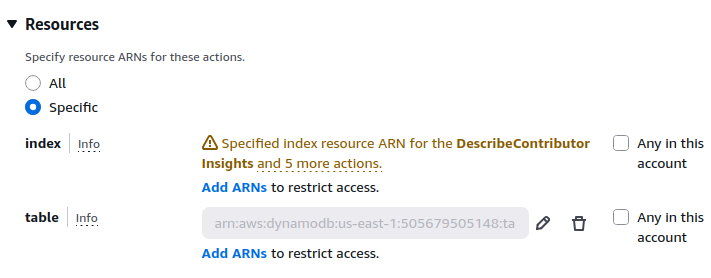
- On the resource section, choose add ARNs on specific table
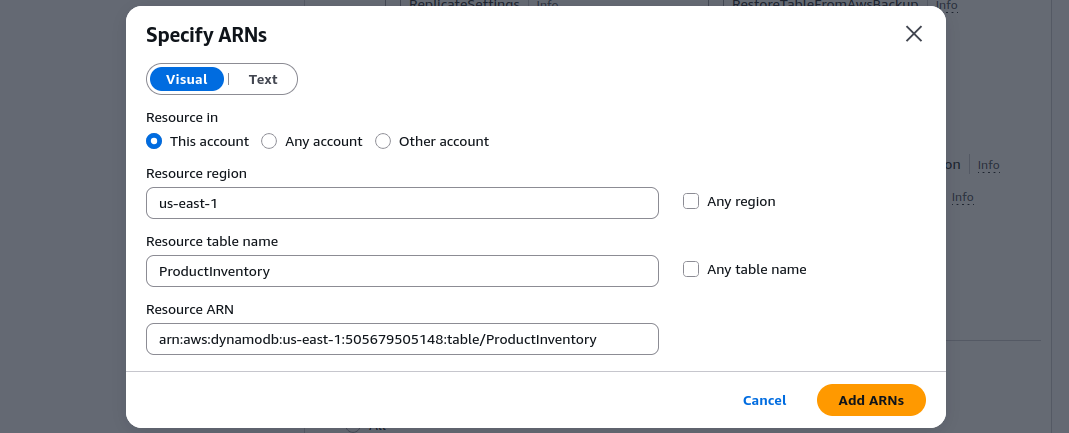
- Go back to the DynamoDB table and choose and copy the table’s ARN
- Go back to IAM console, and paste the table ARN, the other information will be auto-populated
- Click Add ARNs
Step 6: Finalize the Policy
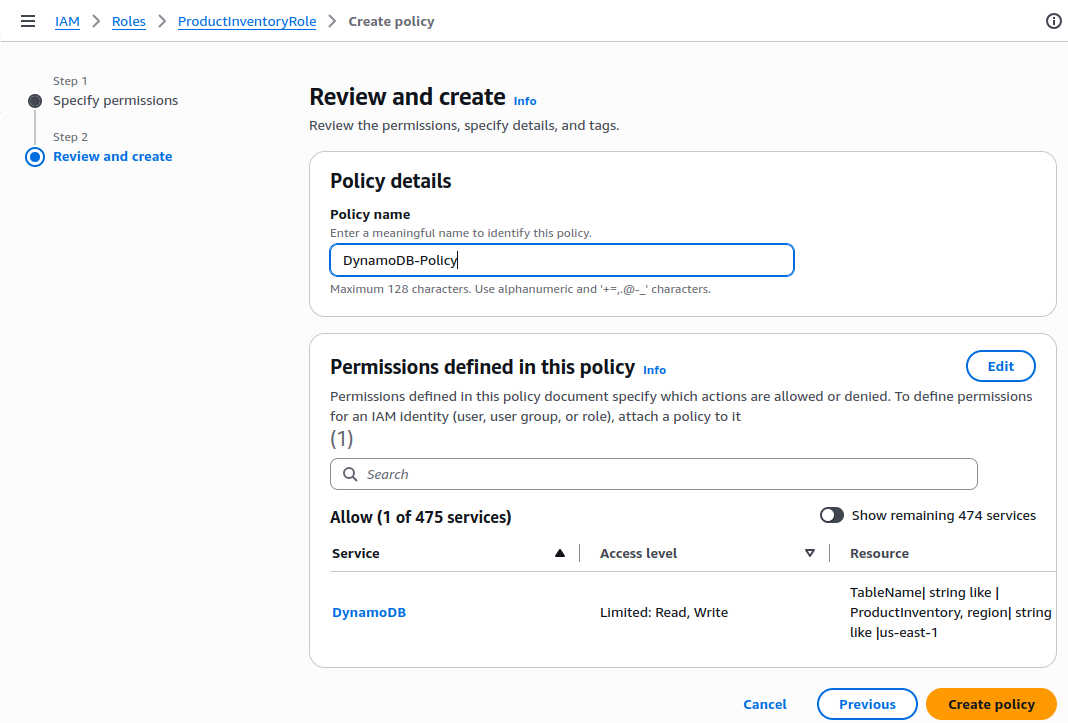
- Policy name: DynamoDB Policy
- Click Create Policy
Summary
In this step we have setup the IAM role for our lambda function. This IAM role is a typical one role for all lambda functions with a more granular permissions via custom inline policy instead using AWS managed one which is too broad. This is following AWS security best practice (least privilege) to minimize damage in case credentials are compromised.
In the next part, we will focus to build lambda functions along with its layer with the DynamoDB.