
Performance efficiency pillar focuses on using computing resources efficiently to meet system requirements and maintaining that efficiency as demand changes. This pillar is about delivering the right level of performance without over-provisioning or under-utilizing resources. In this project, we will develop a lightweight (REST API for CRUD functionalities) product inventory management using AWS Lambda, API Gateway, DynamoDB, IAM, and CloudWatch to demonstrate a secure, scalable, and cost-efficient architecture that aligns with performance efficiency pillar.
This pillar connects directly to the cost-optimization pillar, because the resources we choose and use will have direct cost implications. In short, this is where the architectural decision start to affecting our bill.
Here is the architecture diagram as the foundation of this project:
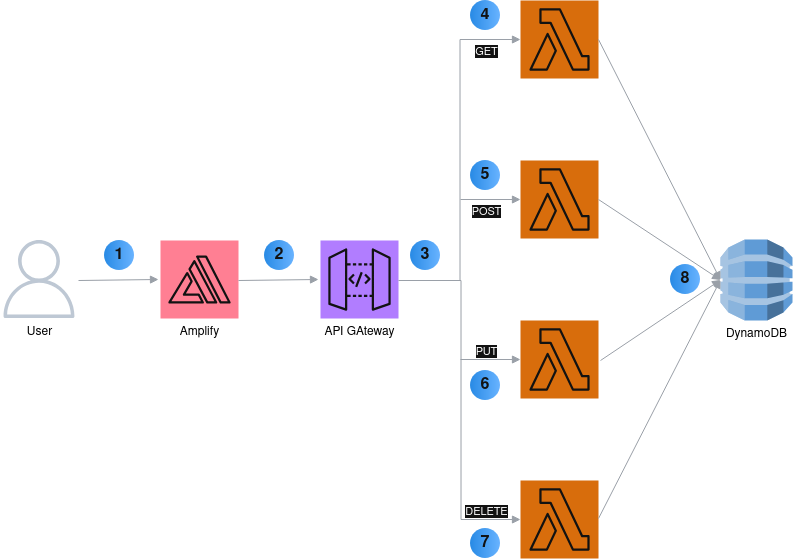
Below is the explanation on above diagram:
- User visit the front-end application hosted on the AWS Amplify
- Front-end app redirect the request to the API gateway
- API gateway distributes the request based on the given URL and parameters to the respective Lambda functions
- By default, front-end app calls the /GET method on the Lambda function which returns a list of available product
- Redirect the /POST request of adding new product to the respective Lambda function
- Redirect the /PUT request of updating an existing product detail to the respective Lambda function
- Redirect the /DELETE request of deleting a product to the respective Lambda function
- DynamoDB write and read the data based on the triggered Lambda function
Step 1: Setup DynamoDB & IAM
At this foundational step, we’ll create a NoSQL database to store the order data and provide the access permission for the lambda functions we’ll develop later. The reasons to choose DynamoDB for our design are
- It is a fully-managed serverless service without maintenance required
- It scales up and down automatically to handle high/low traffic
- It only bills us based on what we use
- It has minimal latency with fast response so it suitable for real-time data update
- It has simple data-structure schema
Here is our product inventory database schema
| Attribute | Type | Description | Example |
| productId | String | Unique identifier | “pd13abc” |
| name | String | Product name | “Wireless earphone” |
| price | Number | Price of the product | 200 |
| inStock | Boolean | On hand stock status | true |
The schema is simple enough to demonstrate how easy and efficient it is being used in our application.
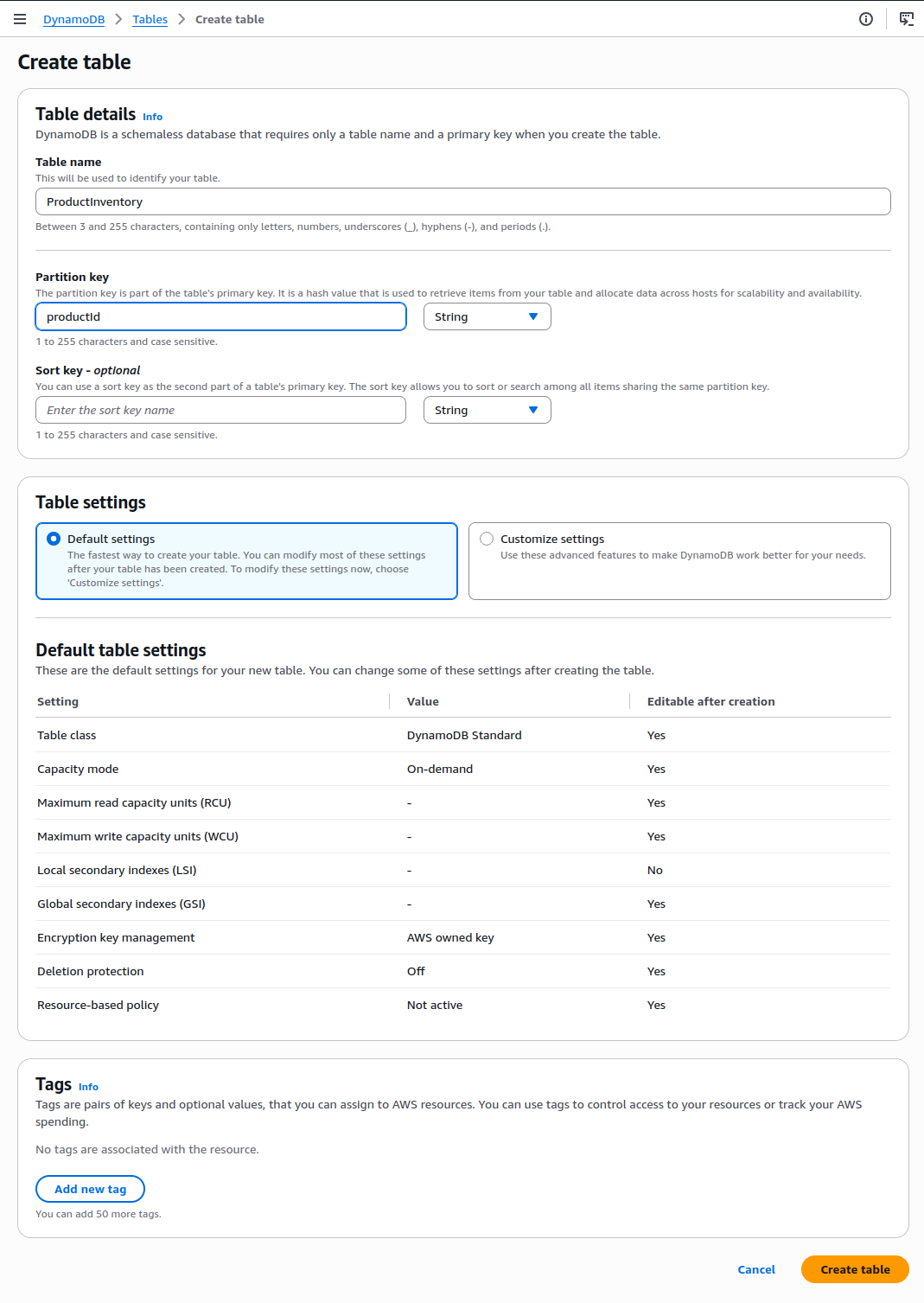
- Next, navigate to AWS Console and go to DynamoDB
- Click Tables → Create table
- Configure Table Settings
- Table name:
ProductInventory - Partition key:
productId(String) - Sort key: Not required (keeps the design simple)
- Table name:
- Keep the rest as default
- Click Create Table
Step 2: Add Sample Data to ProductInventory Table
The purpose of this step is to validate if our table structure is correct and to prepare the dummy data for the development testing.
- Click on ProductInventory table name
- Navigate to Explore table items
- Click Create Item
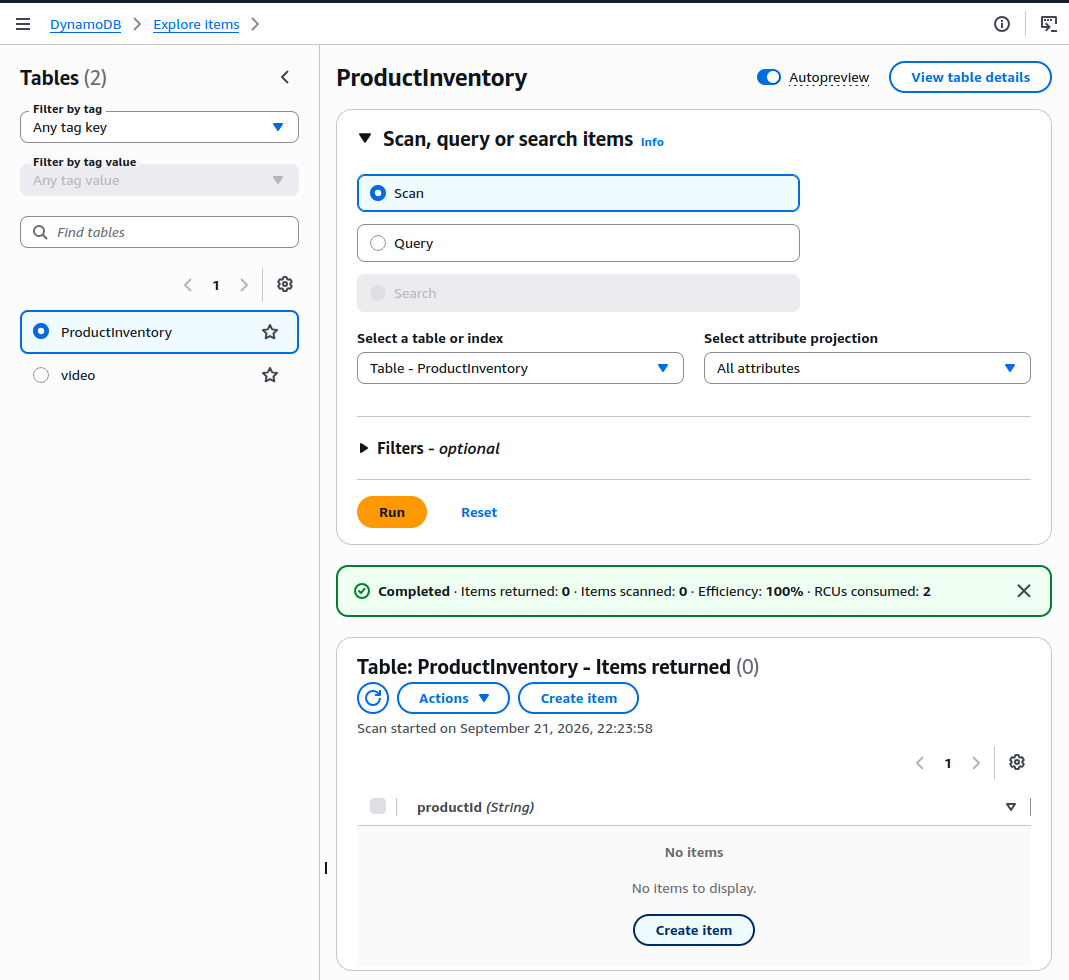
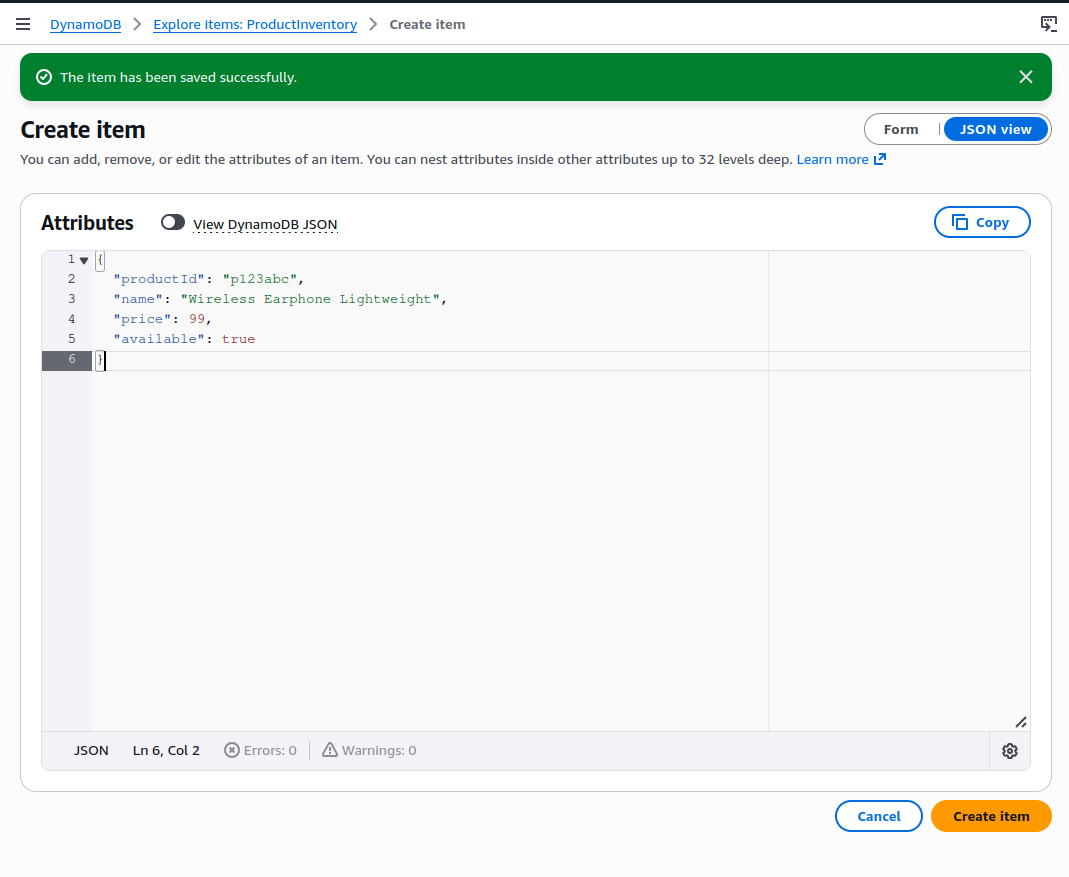
- Choose JSON View
- Uncheck “view DynamoDB JSON”
- Add the following data
{
  "productId": "p123abc",
  "name": "Wireless Earphone Lightweight",
  "price": 99,
  "available": true
}- Click Create Item
Summary
We have just setup a simple DynamoDB table with sample data which will be useful for the lambda function development. For this project, a simple data model is enough and cost-effective.
In the next part, we will configure the IAM role to ensure that only allowed lambda function that can securely access DynamoDB table