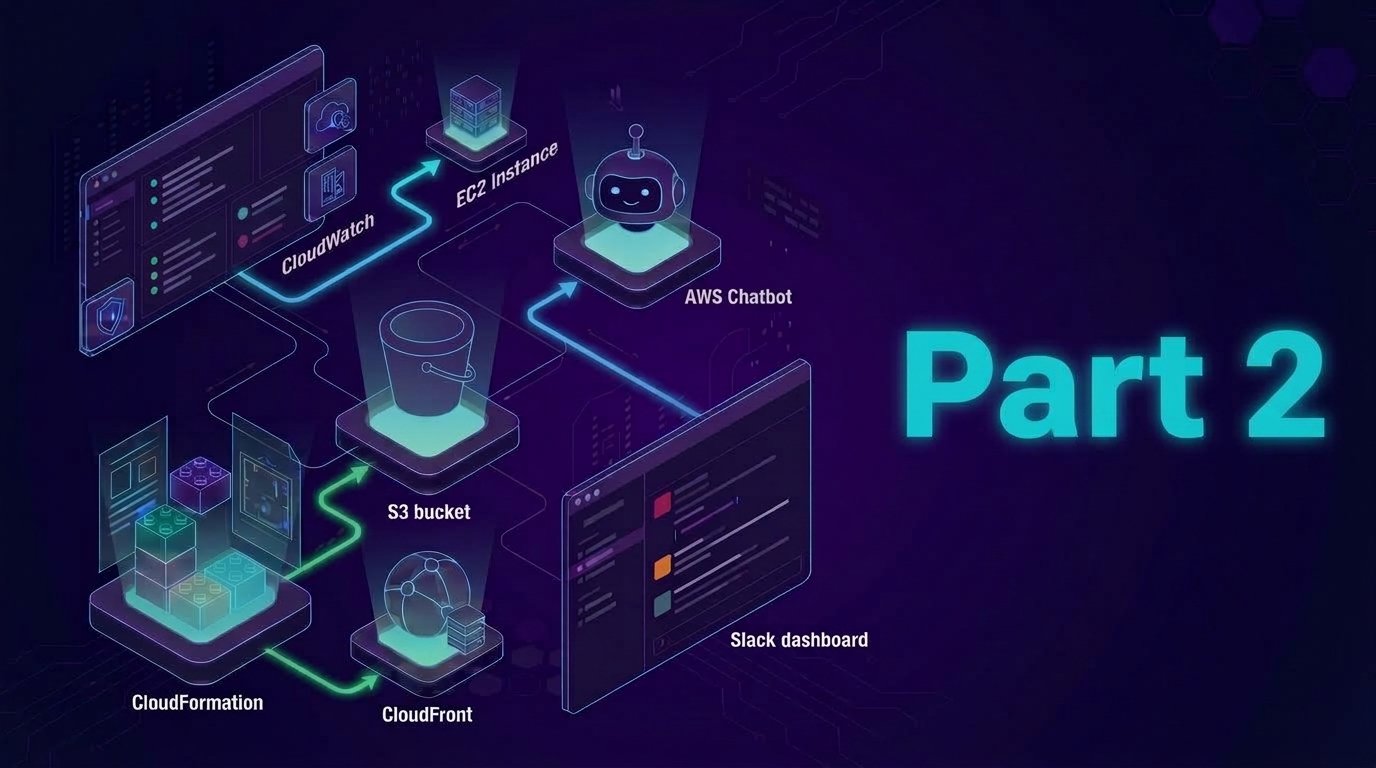
After setup and integrate Slack with Amazon Q (Chatbot) configuration successfully, we’ll setup the CloudWatch alarm which detects high CPU usage on an EC2 instance. Thus, the key part of this phase it to ensure AWS send real-time alerts to our Slack channel.
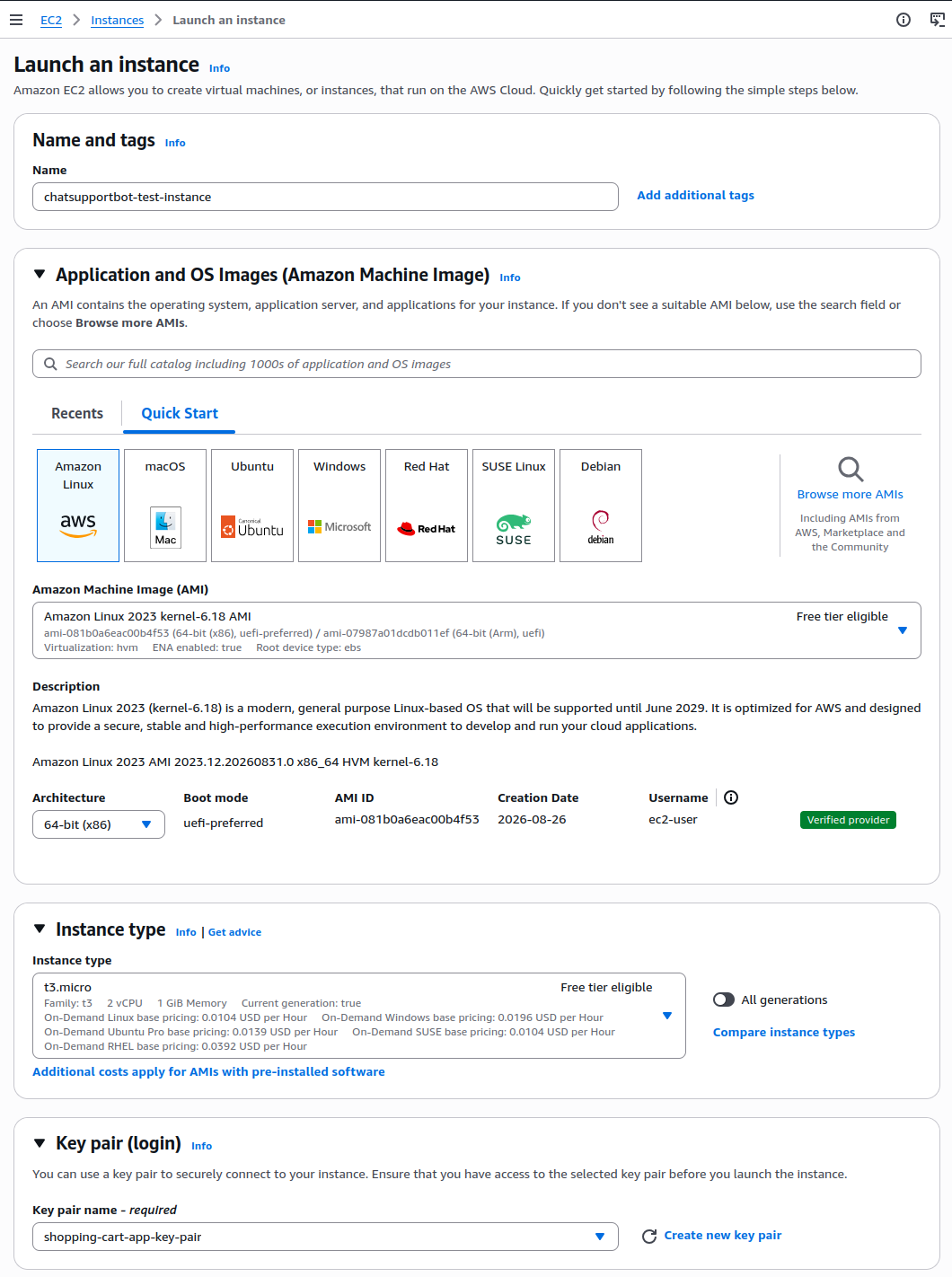
Step 1: Launch EC2 Instance
- Visit EC2 Console
- Click Launch Instance
- Name:
chatsupportbot-test-instance - AMI: Amazon Linux 2
- Instance type: t2.micro (or t3.micro for burstable CPU)
- Key pair: Select existing or create new (you’ll SSH in later)
- Under Network Settings: Use default VPC
- Enable SSH access (port 22)
- Name:
Step 2: Setup the CloudWatch Alarm
This alarm will monitor the CPU usage on the EC2 instance. When it goes beyond the threshold it will trigger an alert.
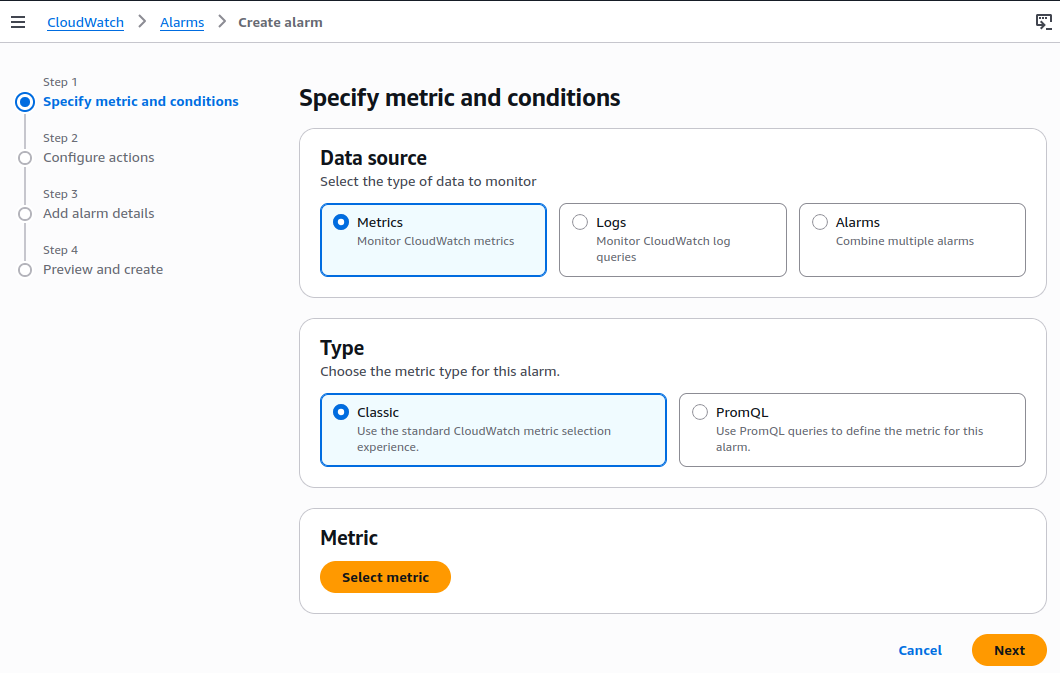
- Visit AWS CloudWatch console
- Click Create Alarms
- Data Source: Metrics
- Type: Classic
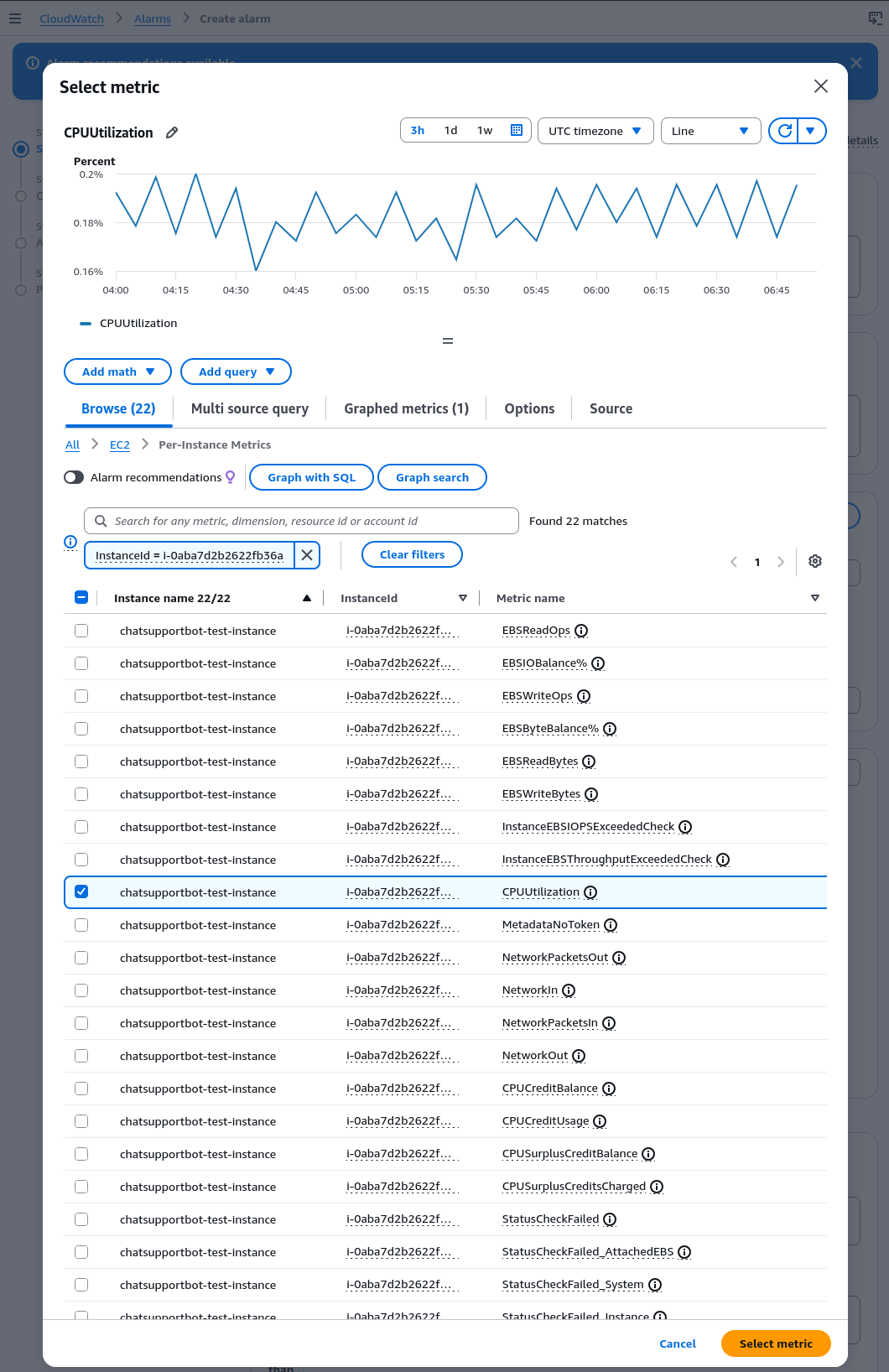
- Under Select Metric: Choose
Browse - Navigate:
EC2 > Per-Instance Metrics > CPUUtilization - Select our instance from the list by using the filter
- Click Select Metric
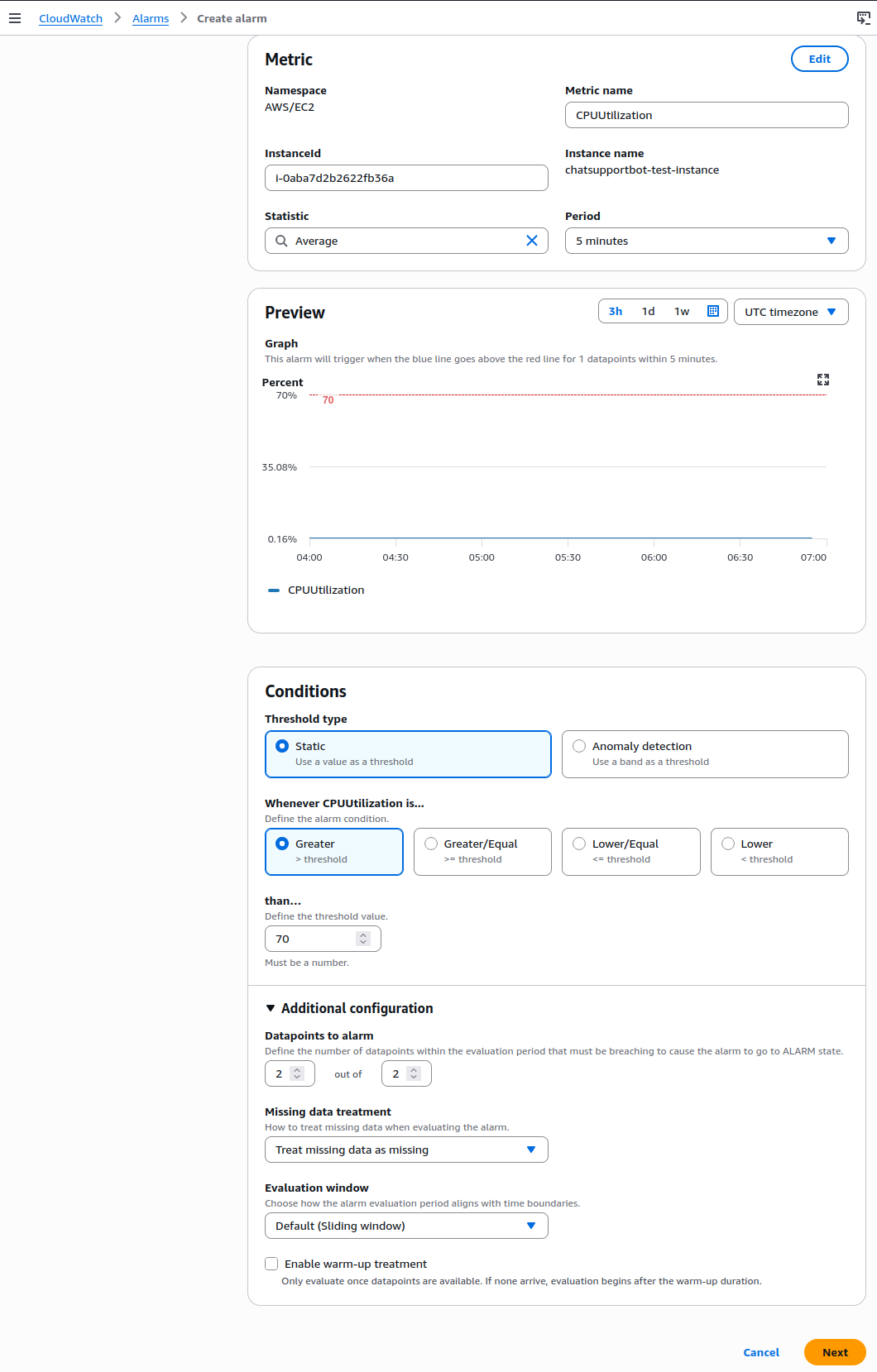
- Conditions
- Threshold type: Static
- Condition: Greater
- Than: 70
- Datapoints to alarm: 2 out of 2
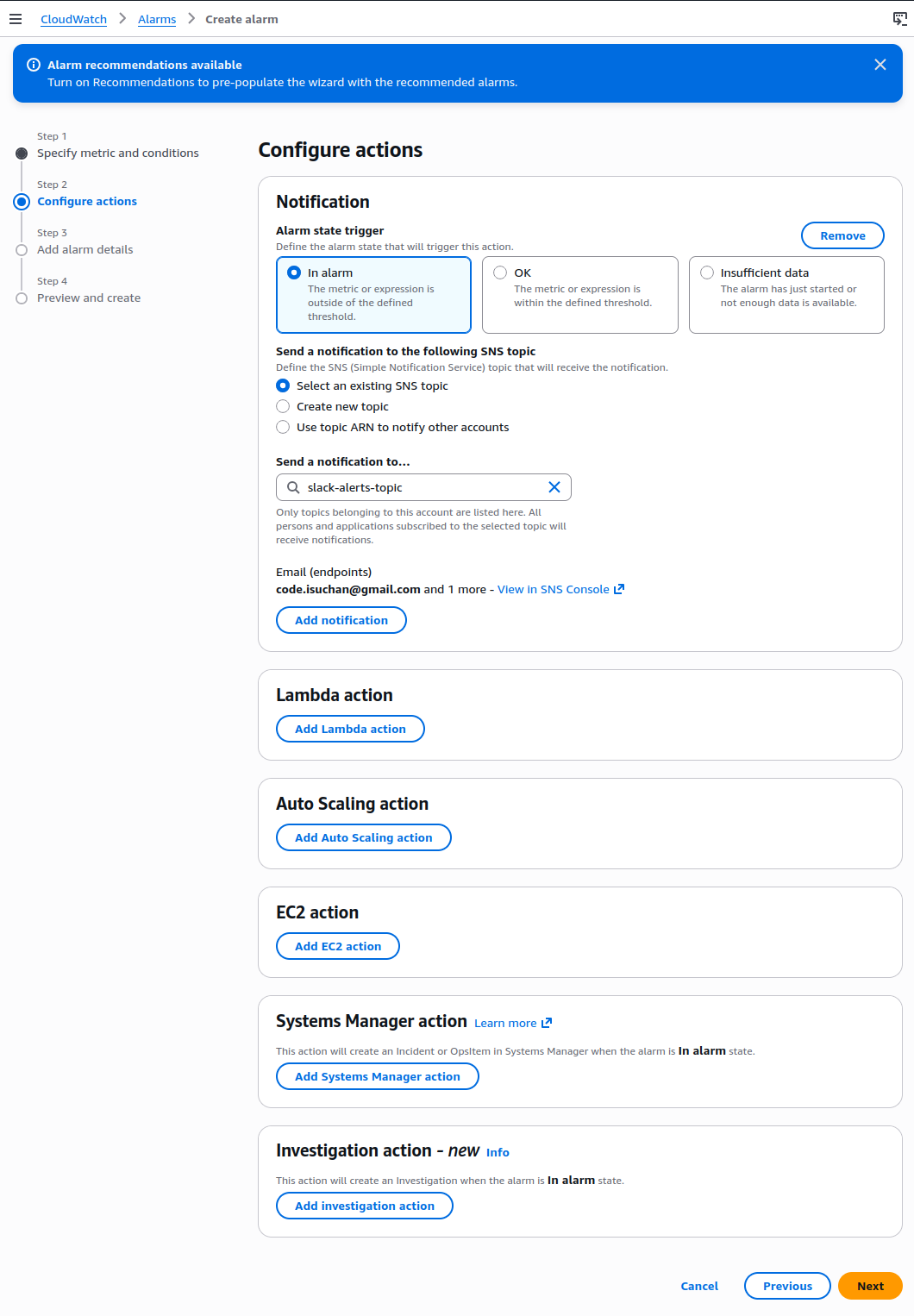
- Configure action
- Send a notification to: slack-alerts-topic
- Leave any other options as default
- Go to preview and click Create alarm
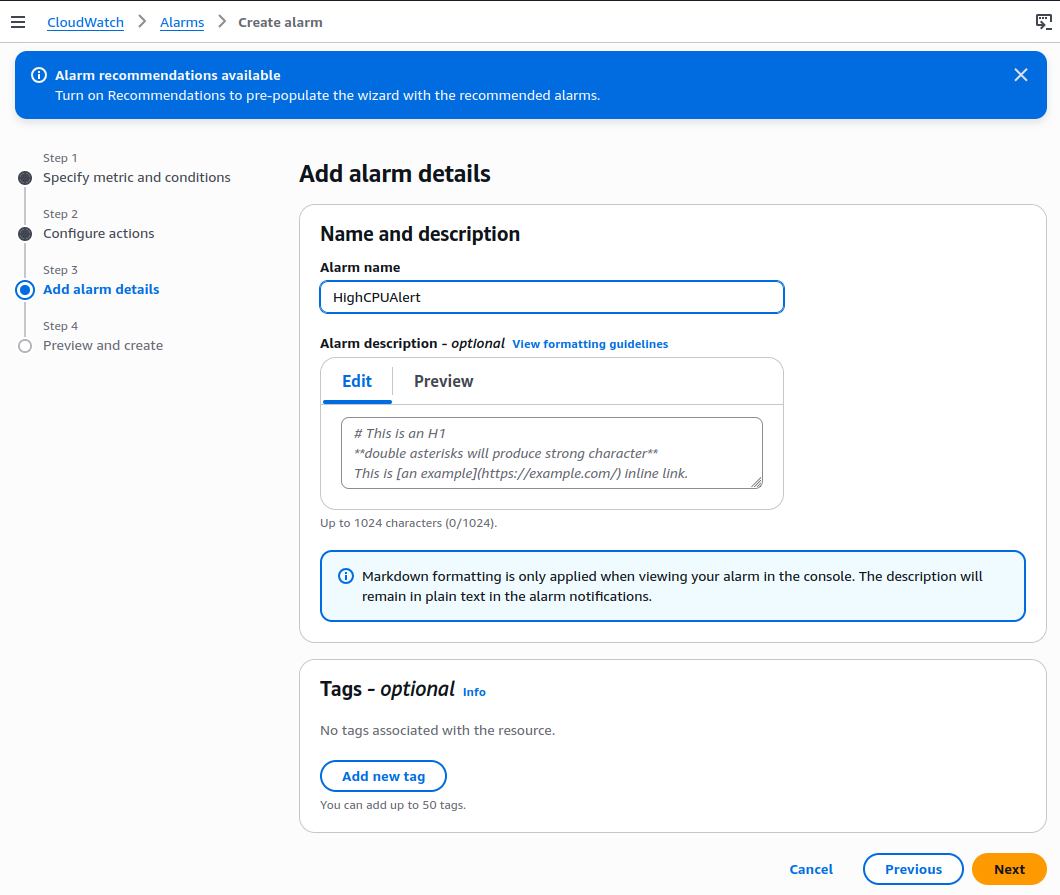
- Add alarm details
- Alarm name:
HighCPUAlert - Leave other options as default
- Alarm name:
Step 3: Simulate the CPU Utilization Spike
To do this, we’ll trigger the CPU load on the EC2 instance
SSH into the EC2 instance
ssh -i your-key.pem ec2-user@your-instance-public-ipInstall the stress tool with below command
sudo yum install -y stressRun the stress test command below:
sudo stress --cpu 2 --timeout 300This command will make 2 CPU cores on EC2 busy for 5 minutes as seen below on the terminal

After waiting several minutes, visit CloudWatch console and click Alarms and see it under our HighCPUAlert
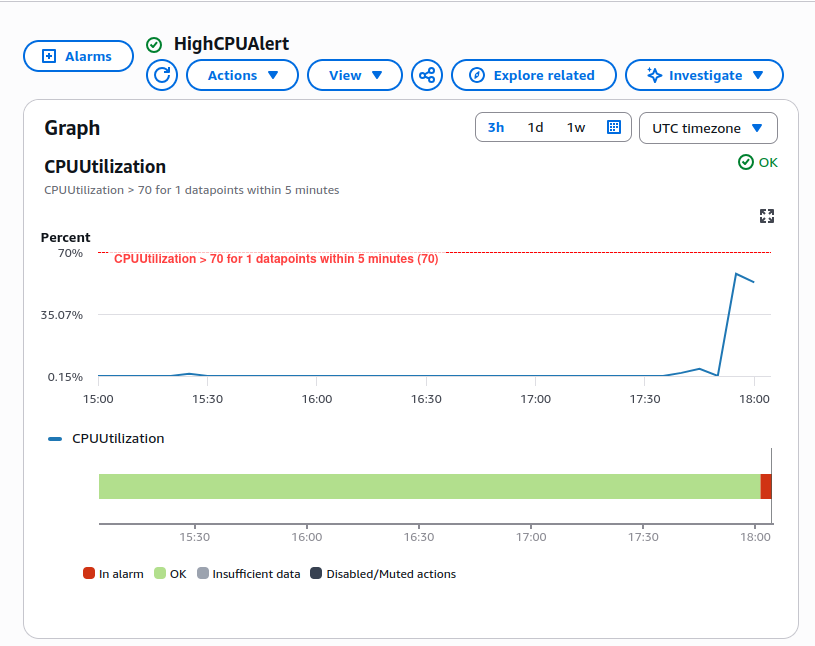
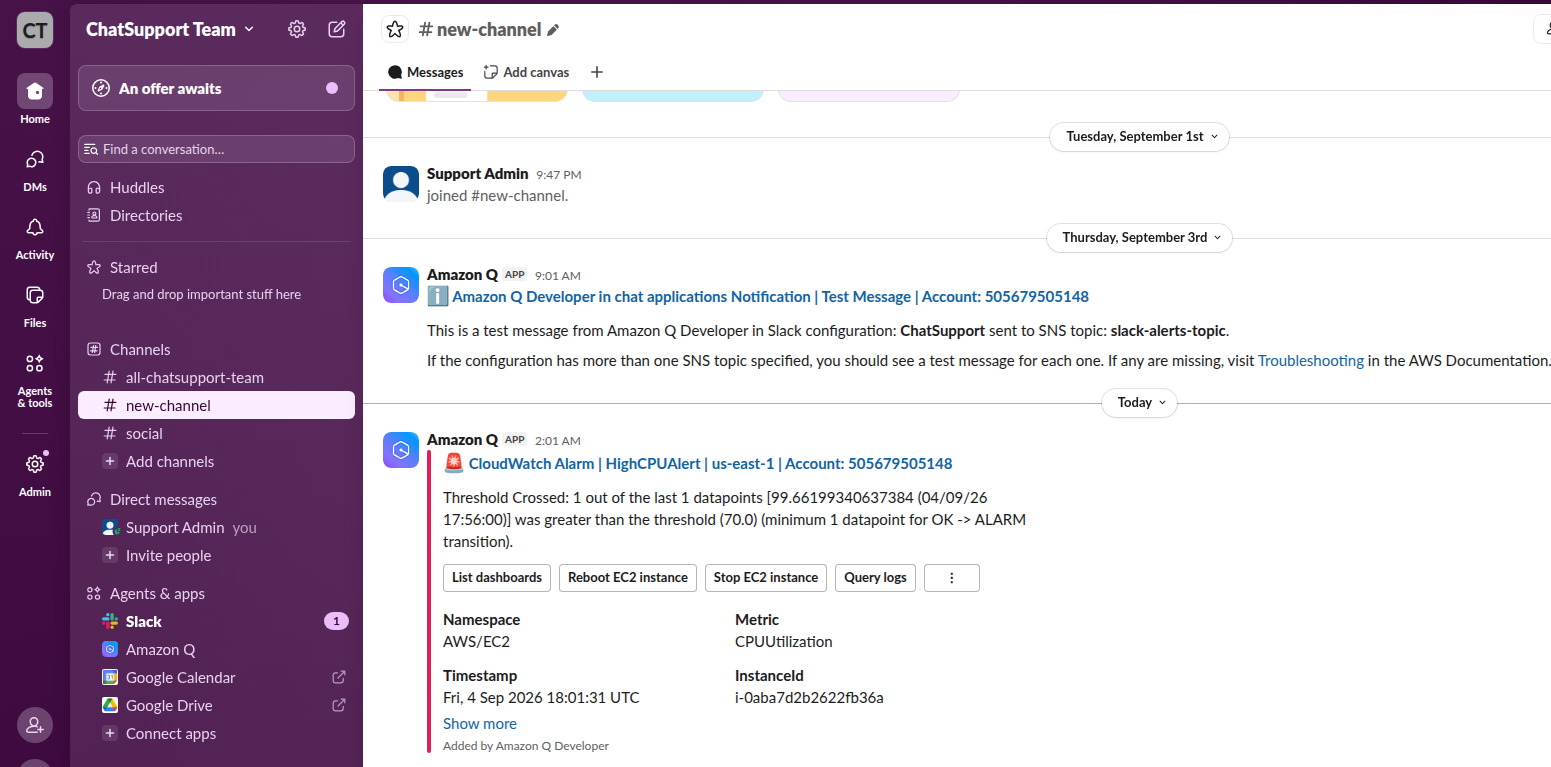
This alert message is published to SNS topic and appears in Slack workspace
Summary
In this part we have completed the following:
- A live CloudWatch alarm that detects high CPU usage
- An SNS with Slack notification flow via AWS Chatbot
- The ability to simulate and observe system issues in real time
In the next part we will integrate Lambda functions which can be triggered via Slack to simply restart the service or fetch certain log