After setup and integrate Slack with Amazon Q (Chatbot) configuration successfully, we’ll setup the CloudWatch alarm which detects high CPU usage on an EC2 instance. Thus, the key part of this phase it to ensure AWS send real-time alerts to our Slack channel.
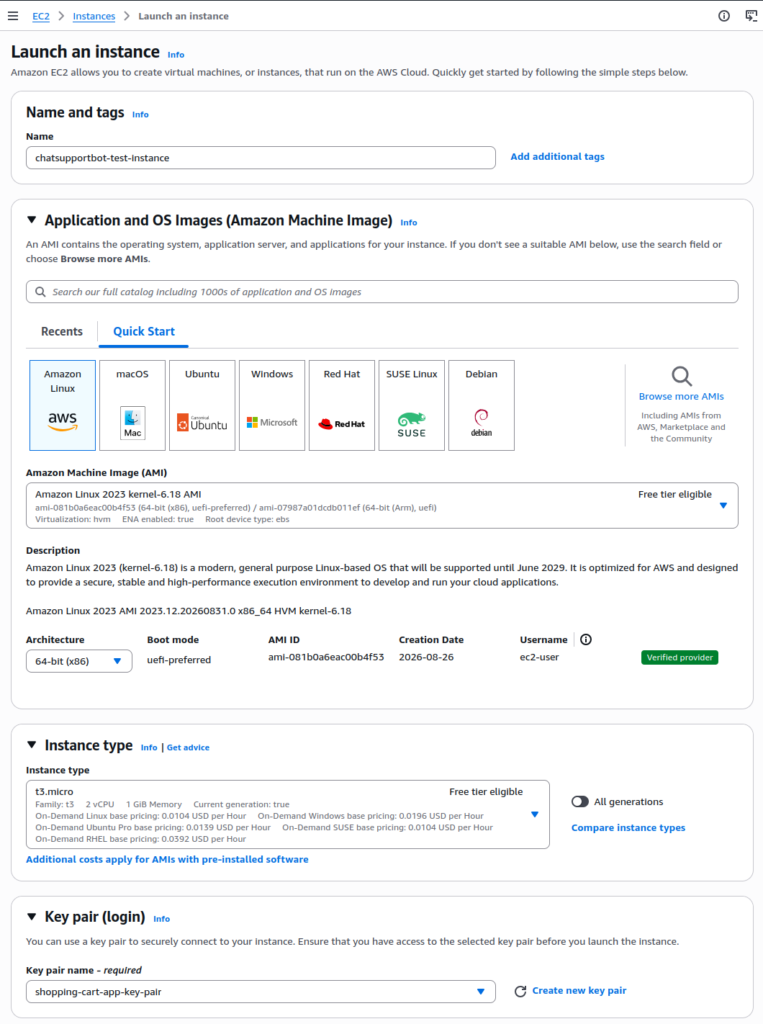
Step 1: Launch EC2 Instance
- Visit EC2 Console
- Click Launch Instance
- Name:
chatsupportbot-test-instance - AMI: Amazon Linux 2
- Instance type: t2.micro (or t3.micro for burstable CPU)
- Key pair: Select existing or create new (you’ll SSH in later)
- Under Network Settings: Use default VPC
- Enable SSH access (port 22)
- Name: