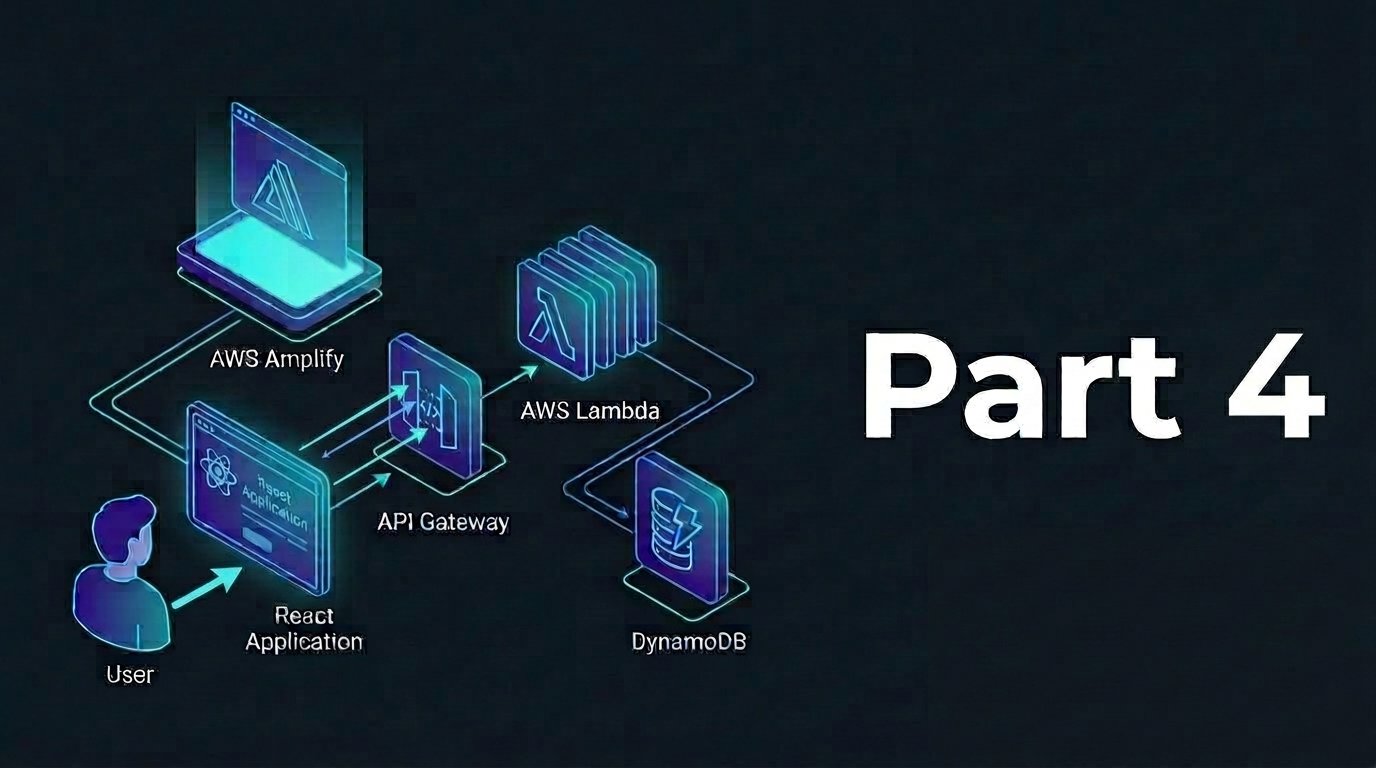
In this part, we are going to expose our Lambda functions via API gateway as REST endpoints to allow external applications interact via HTTP requests. In essence, API gateway is the main door for our serverless endpoints while it provides unified interface for all API requests and security with its built-in authentication, authorization, and rate limiting.
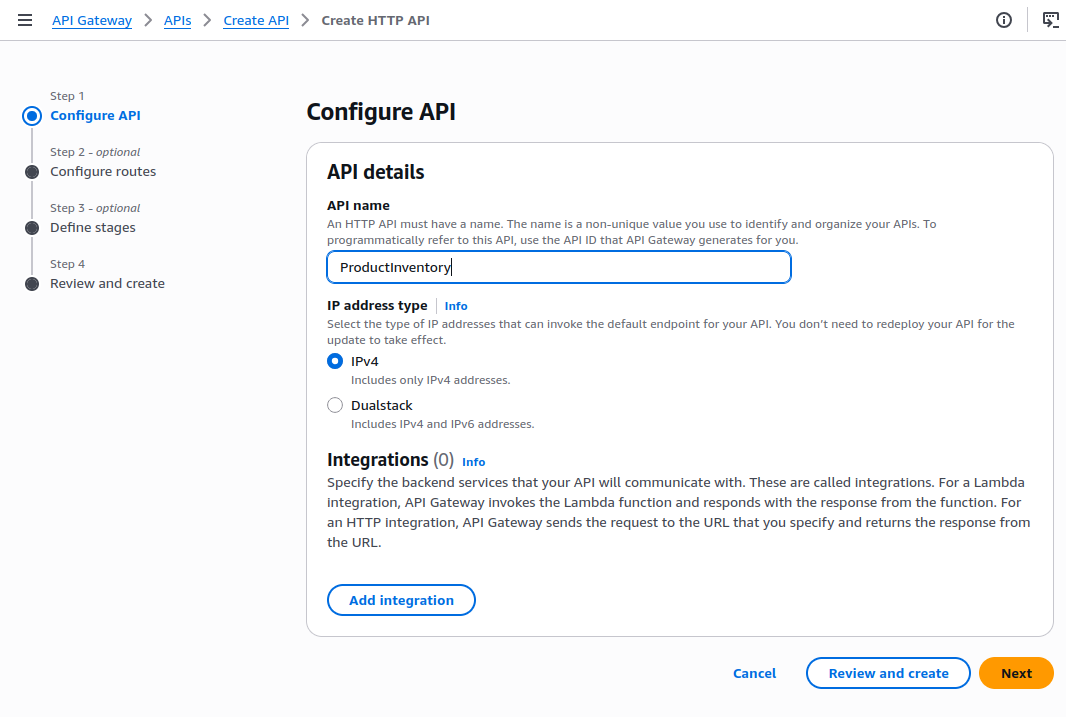
Step 1: Setup API Gateway
- Visit API Gateway console
- Click Create API
- Select HTTP API, click Build
- Configure API Details
- API Name:
ProductInventory - IP Address Type: IPv4
- API Name:
- Left the rest options (i.e. stage and CORS) as default
- Click Create
- Configure API Details
Step 2: Setup Routes and Integrations
Routes define the URL paths and HTTP methods that our API accepts. In the meantime, integrations connect routes to our Lambda functions
GET Routes Setup (READ)
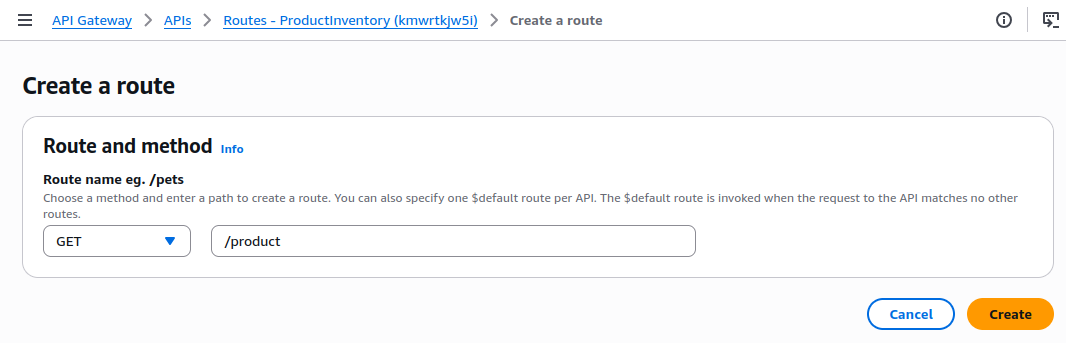
Route 1: GET all products
- Click Create Route
- Method: GET
- Resource Path:
/product - Purpose: Retrieve all product items from inventory
- Click Create
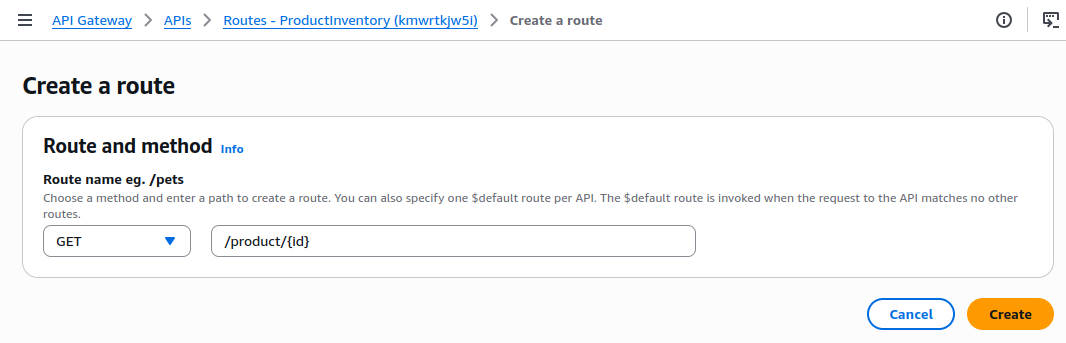
Route 2: GET specific product
- Click Create Route
- Method: GET
- Resource Path:
/product/{id} - Purpose: Retrieve specific product item by ID
- {id}: Path parameter that will be passed to Lambda function
- Click Create
Setup Integrations for Both of GET Routes Above
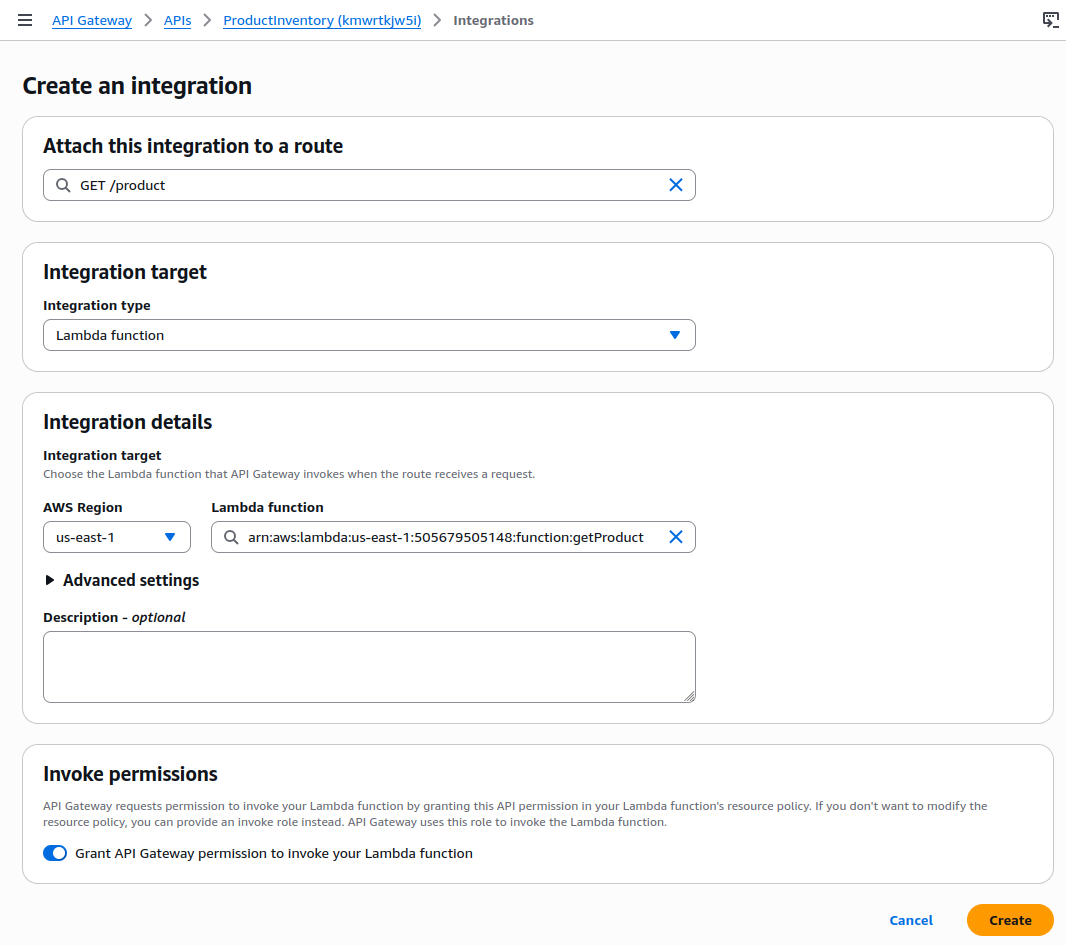
- Go to Integrations, select Manage Integrations, and click Create
- Attach to Route: GET /product
- Integration Target: Lambda function
- Lambda Function: Select
getProduct - Set Invoke Permissions
- Invoke Permissions: Keep enabled
- This grants API Gateway permission to invoke our Lambda function while creates the necessary IAM permissions automatically
- Click Create
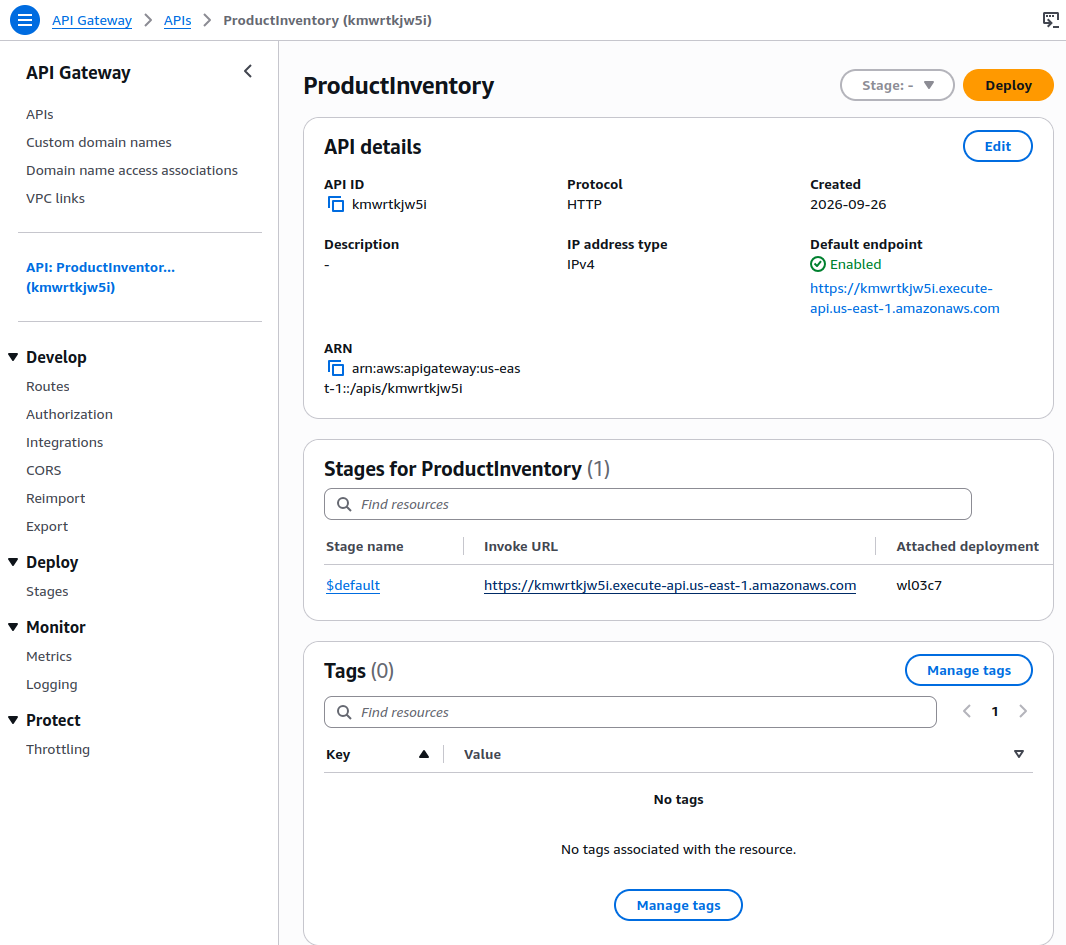
Now let’s test the endpoint by going to the APIs menu from the sidebar, and choose generated API.
- Copy the invoked URL
- Go to new window/tab and paste the invoked URL before adding
/productthe the end of it
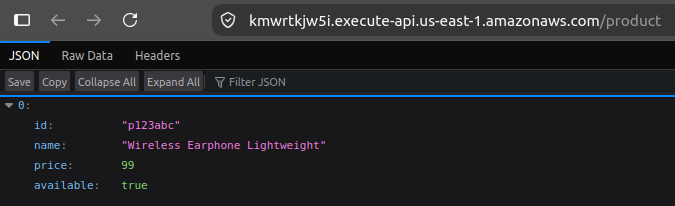
Then it shall return the data in JSON format
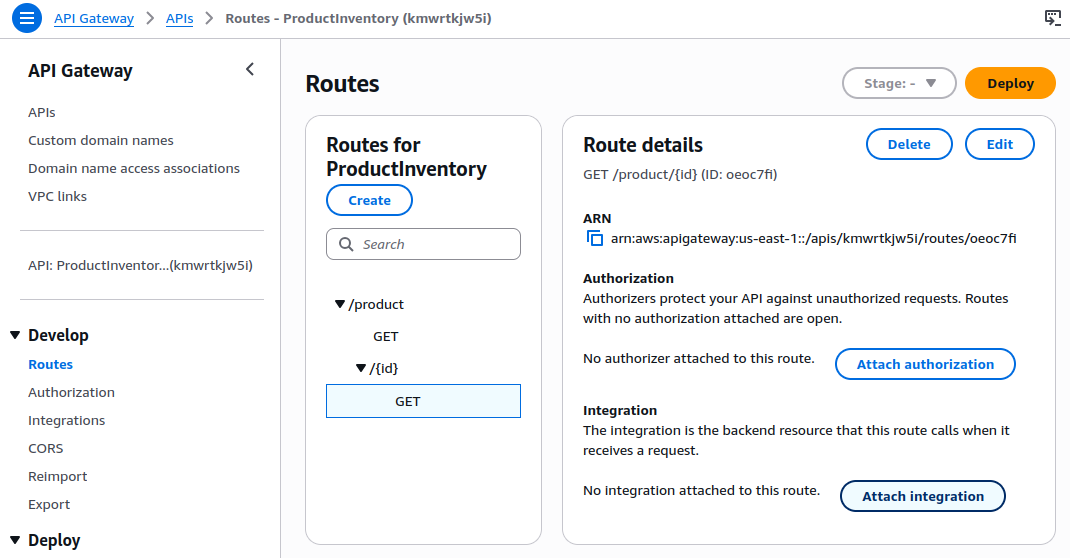
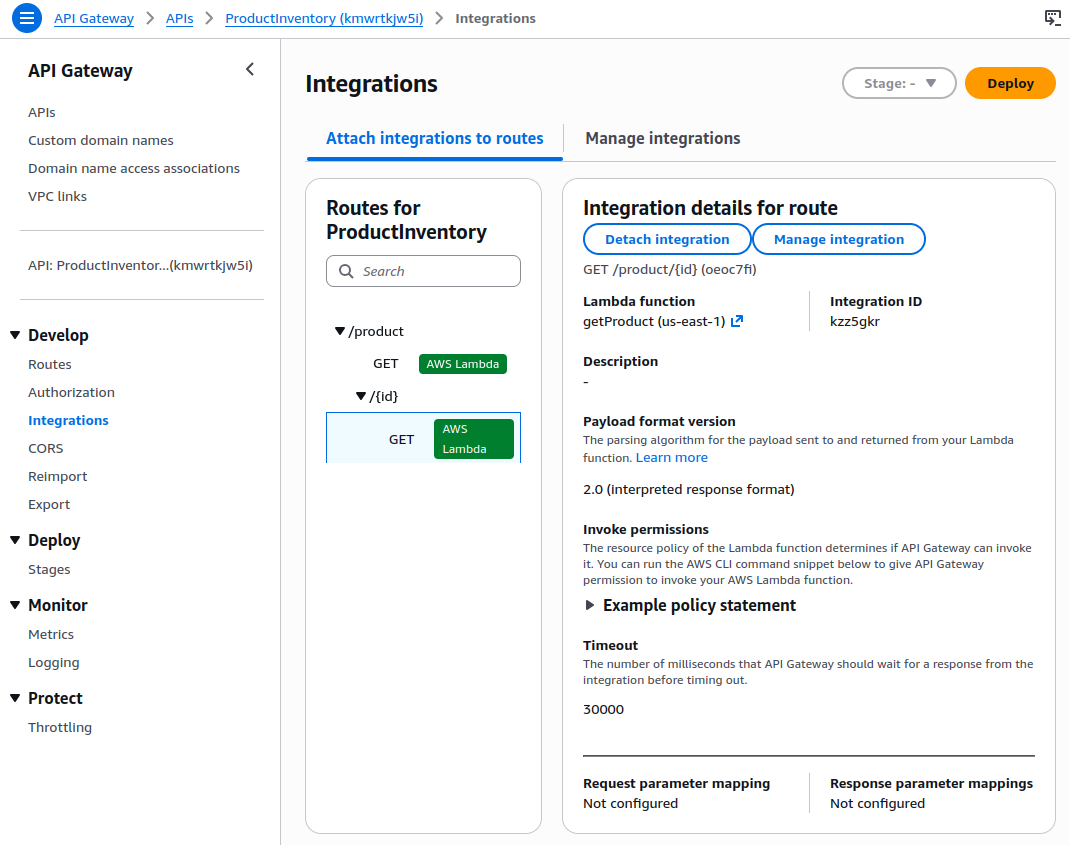
Finally, we need to attach the 2nd GET route to the integration
- Go back to Routes → Select
/product/{id}→ Attach Integration - Choose existing integration: getProduct
- Click Attach Integration
PUT Route Setup (UPDATE)
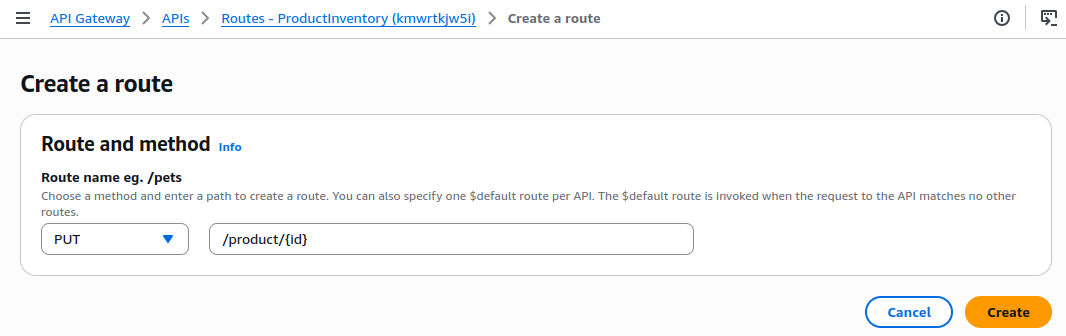
- Go to API Gateway, select Routes, click Create Route
- Method: PUT
- Resource Path:
/product/{id} - Purpose: Update specific product item by ID
- Click Create
Setup Integrations for PUT Route
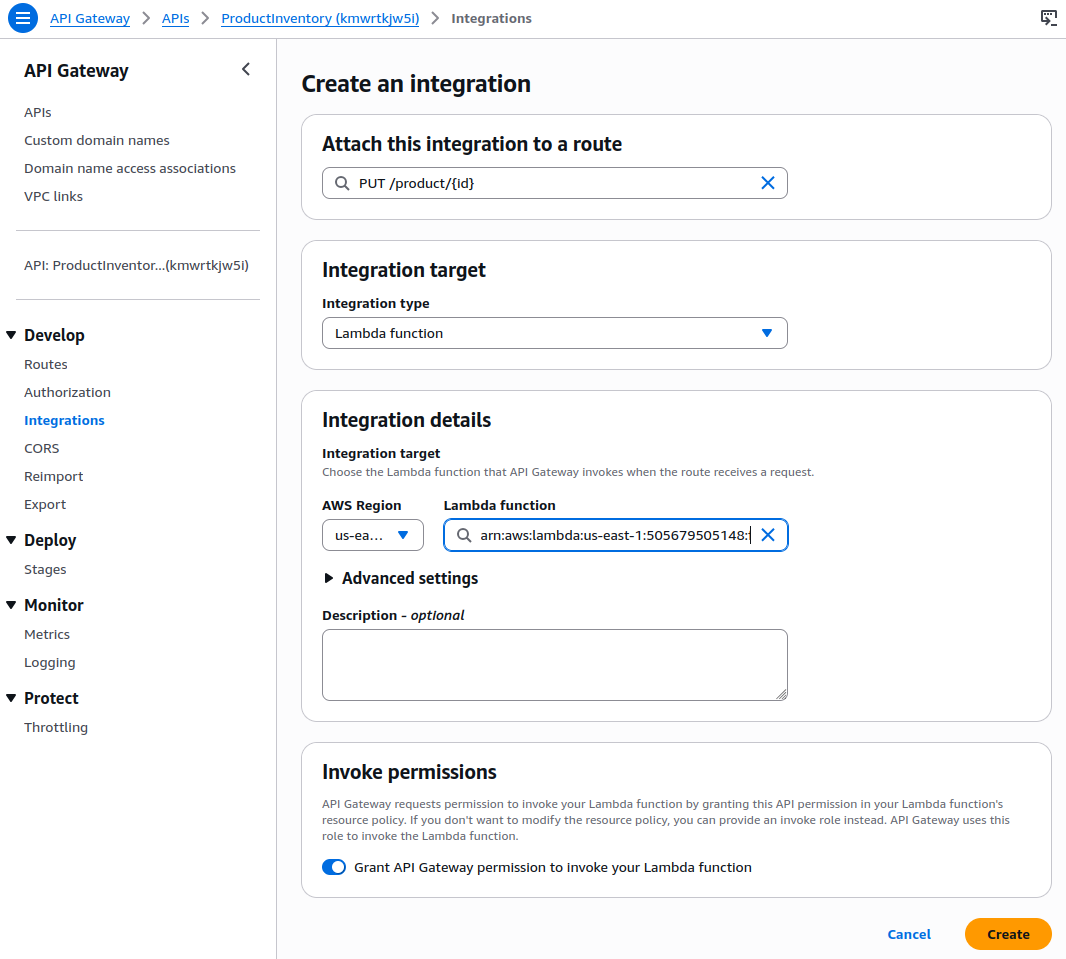
- Go to Integrations, select Manage Integrations, and click Create
- Attach to Route: PUT
/product/{id} - Integration Target: Lambda function
- Lambda Function: Select
updateProduct - Set Invoke Permissions
- Invoke Permissions: Keep enabled
- This grants API Gateway permission to invoke our Lambda function while creates the necessary IAM permissions automatically
- Click Create
DELETE Route Setup (DELETE)
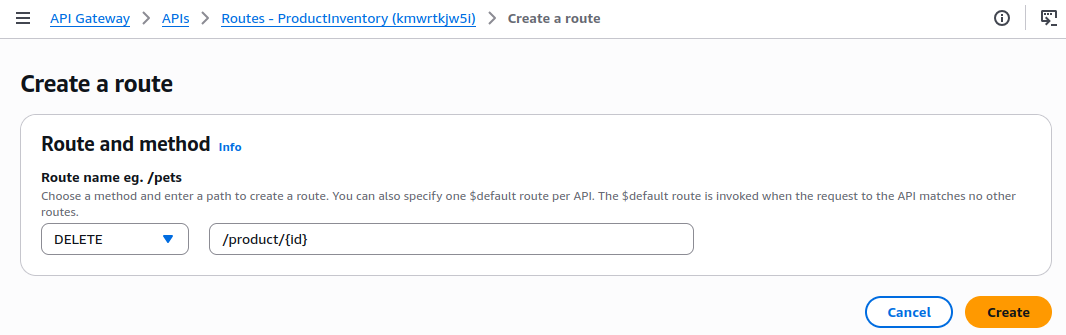
- Go to API Gateway, select Routes, click Create Route
- Method: DELETE
- Resource Path:
/product/{id} - Purpose: Delete specific product item by ID
- Click Create
Setup Integrations for DELETE Route
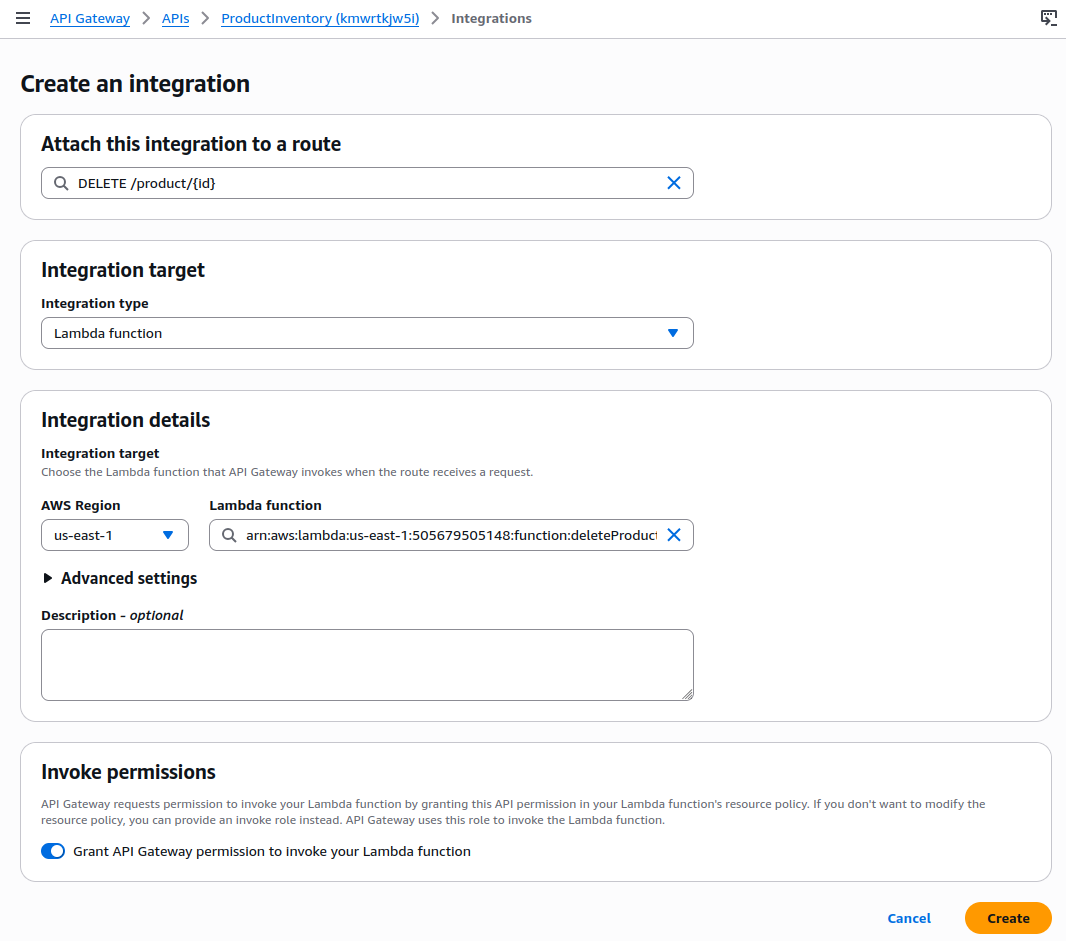
- Go to Integrations, select Manage Integrations, and click Create
- Attach to Route: DELETE
/product/{id} - Integration Target: Lambda function
- Lambda Function: Select
deleteProduct - Set Invoke Permissions
- Invoke Permissions: Keep enabled
- This grants API Gateway permission to invoke our Lambda function while creates the necessary IAM permissions automatically
- Click Create
POST Route Setup (CREATE)
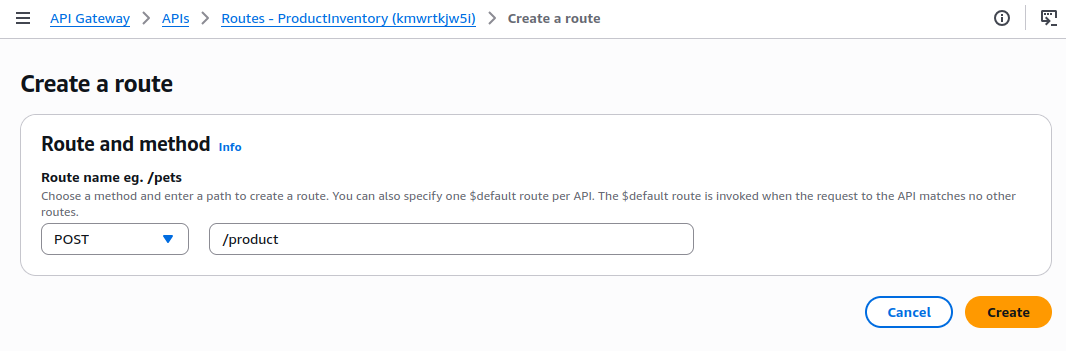
- Go to API Gateway, select Routes, click Create Route
- Method: POST
- Resource Path:
/product - Purpose: Delete specific product item by ID
- Click Create
Setup Integrations for POST Route
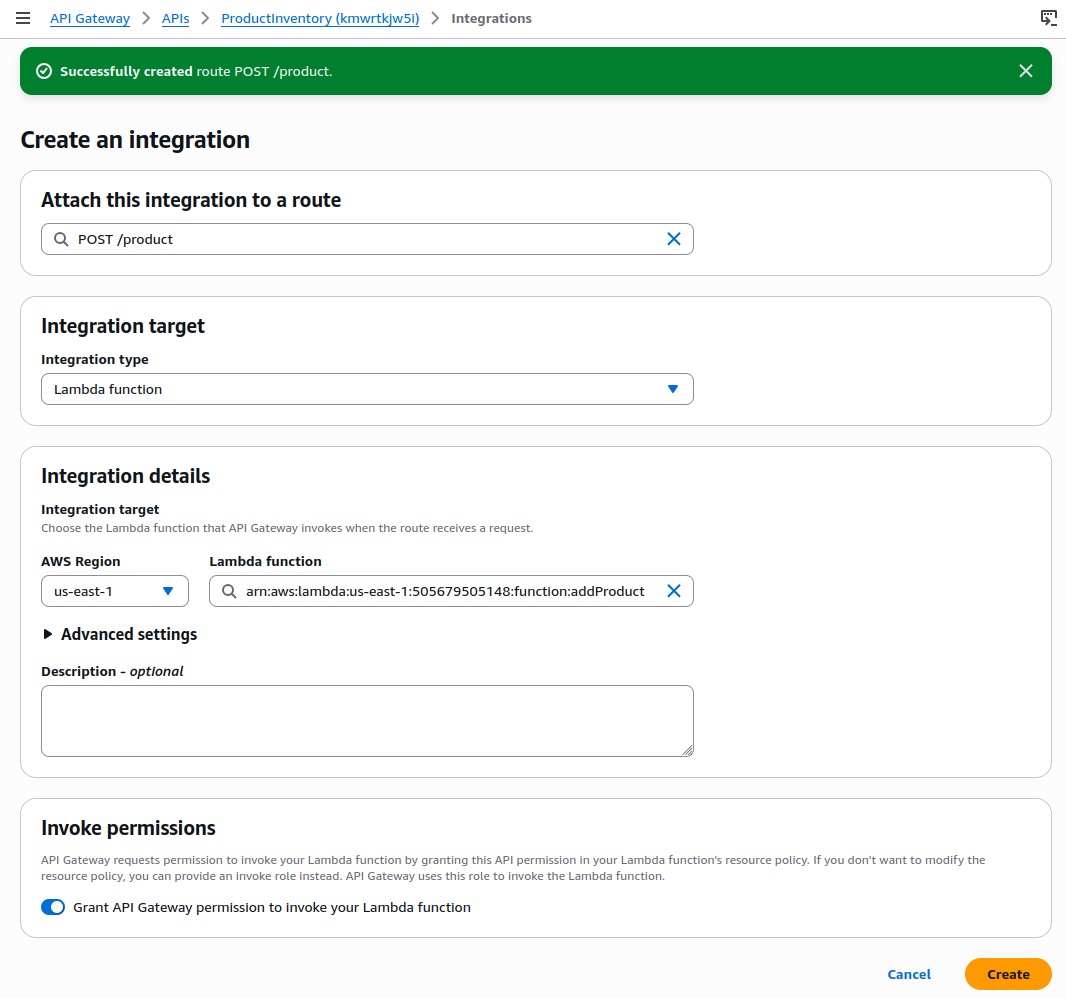
- Go to Integrations, select Manage Integrations, and click Create
- Attach to Route: POST
/product - Integration Target: Lambda function
- Lambda Function: Select
addProduct - Set Invoke Permissions
- Invoke Permissions: Keep enabled
- This grants API Gateway permission to invoke our Lambda function while creates the necessary IAM permissions automatically
- Click Create
API Routes Summary
So far our API routes should be similar with something like this:
| HTTP Methods | Route Paths | Lambda Functions | Operations |
| GET | /product | getProduct | Get all products |
| GET | /product/{id} | getProduct | Get specific product |
| PUT | /product/{id} | updateProduct | Update existing product |
| DELETE | /product/{id} | deleteProduct | Delete specific product |
| POST | /product | addProduct | Create new product |
Summary
In this part we have been applying some best practices in setting up Lambda function and security around of it. We have applied RESTful API design based on the CRUD operations with such clear and consistent URL naming with its respective parameter. We also have setup the automatic IAM role for API gateway and also the principle of least privilege so that each integration only has permission to invoke it specific Lambda function.
In the next part, we will develop front-end part via AWS Amplify, test all API endpoints, set error handling, configure CORS, and setup the monitoring and logging.